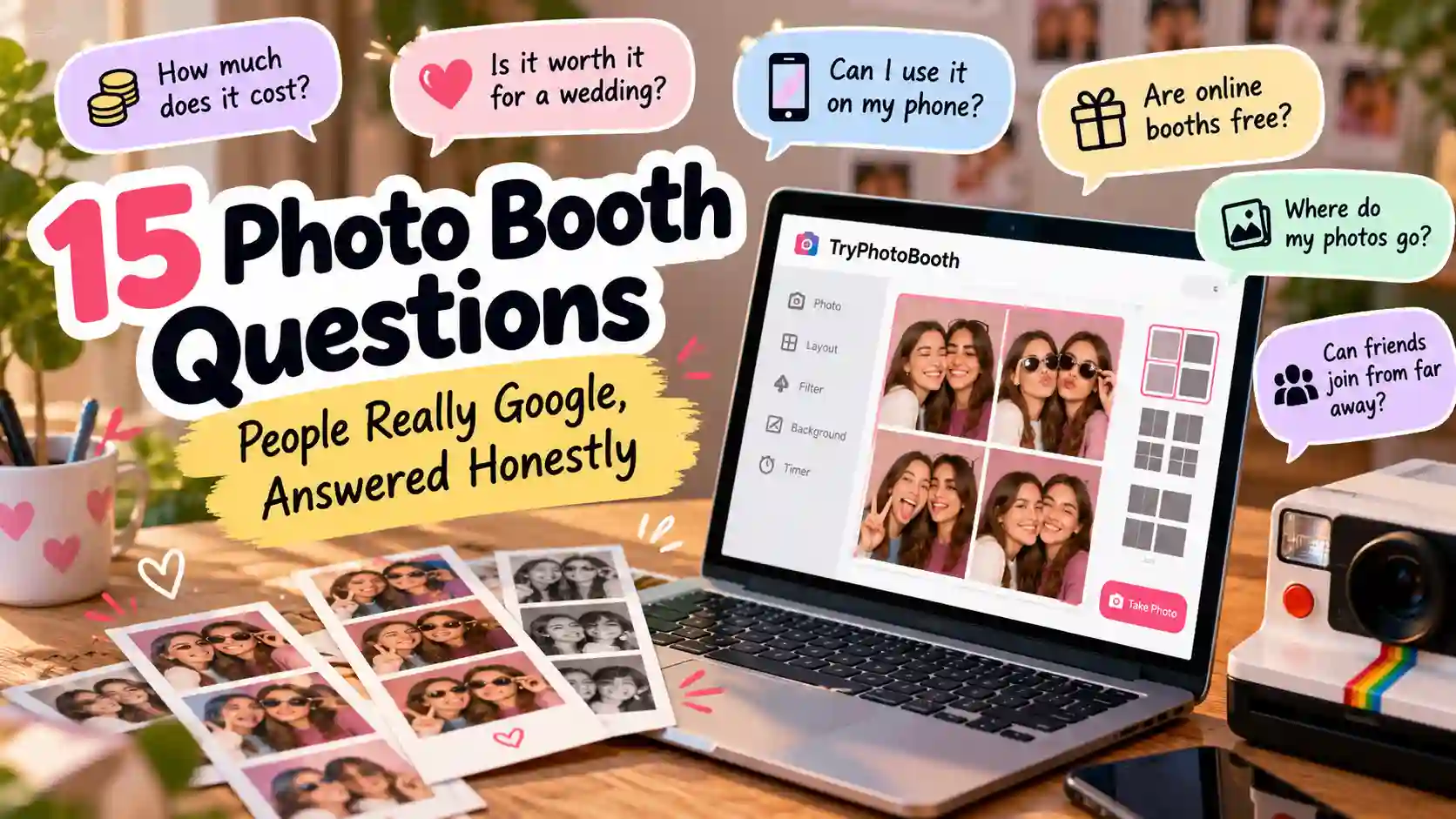
15 Photo Booth Questions People Really Google, Answered Honestly
Honest answers to the 15 photo booth questions people Google most: cost, privacy, flipped faces, passport photos, strip sizes and free online booths.
In 1925, Anatol Josepho opened the first photo booth on Broadway in New York. People paid 25 cents for eight photos and waited about ten minutes to get them. Today you can make a photo strip on your phone in seconds, yet the photo booth questions people type into Google have barely changed. They still want to know what a booth costs, whether it is worth it, and what happens to their photos afterwards. We run a free online booth, so we hear these photo booth questions every week from couples, students and party hosts. This guide answers fifteen of them in plain words. When a paid photo booth rental is the better choice for you, we will say so, even though our own booth costs nothing.
How We Picked These 15 Photo Booth Questions
We did not guess which topics matter to you. Every one of these photo booth questions came from Google's search suggestions in October 2026, so each is something real people type. Most FAQ pages we read during research were either too short to help or written to sell a rental package. That is why each answer below starts with a straight reply and then gives you the trade-offs and a clear verdict. Where a paid rental, an ID booth or another tool beats ours, the answer says so plainly. This guide was written by Attiq Ur Rehman at TryPhotoBooth and was last updated on October 30, 2026.
Photo Booth Questions: Quick Answers
These short answers to the most common photo booth questions let you jump straight to the one you need.
| Question | Short answer |
|---|---|
| How it works | A camera takes 3 to 8 shots. |
| Cost | Rentals cost most, online can be free. |
| Wedding | Worth it for big crowds. |
| Free online | Yes, without a watermark. |
| iPhone, Mac, PC | Browser booths run on all three. |
| Friends far away | Yes, with a video call. |
| Saved photos | Rentals often save them. |
| Flipped face | Many show a mirror image. |
| Passport | Only in ID booths. |
| Budget pro look | Buy light first. |
| Backdrop and props | Plain wall, few props. |
| Strip size | Usually 2x6 inches. |
| Sharp prints | Export at 300 DPI. |
| 360 booth | Best for brand events. |
| Still around? | Yes, and booming again. |
1. How Does a Photo Booth Work?
A photo booth works in four quick steps. You press start, a countdown runs, and a camera takes a set of shots. Software then places those shots into one layout. A digital booth finishes the strip in about 30 seconds, according to Wikipedia's photo booth history.
This is the simplest of all photo booth questions. Our online booth explainer shows the same steps in a browser.
How Many Photos Does a Photo Booth Take?
Most photo booths take between three and eight photos in one session, and the classic strip holds four of them. Anatol Josepho's first Broadway booth printed eight small pictures for each customer back in 1925, which was a lot for 25 cents.
On TryPhotoBooth, Layout A gives you three shots, while Layout B and the 2x2 grid give you four each. That four-frame format matches the Korean 4-cut style you see all over Instagram.
Photobooth or Photo Booth: Is There a Difference?
There is no real difference in meaning between "photobooth" and "photo booth," because both names describe the same machine. The two-word spelling is the more common one, so it is the safer choice for wedding signs, party invitations and Instagram captions.
Spelling is one of the quirkier photo booth questions, and the old brand name Photomaton still shows up on vintage strips in Europe.
2. How Much Does a Photo Booth Cost?
How much a photo booth costs depends on the type you choose. A rental with an attendant and instant prints costs the most, and its price changes with your city, hours and print package. A mall or arcade booth usually charges a few dollars per strip, while an online booth can cost nothing.
Cost tops nearly every list of photo booth questions, so here is the honest trade-off. A rental company hands guests prints within seconds and keeps the line moving, which a free browser booth cannot match at a big event. If digital strips are enough for your birthday or sleepover, paying for a rental makes little sense. For a big event, ask three local companies to quote the same hours.
Worth it if: you want printed favors and a staffed booth. Skip it if: digital strips will make you happy.
Why Are Photo Booths So Expensive?
Photo booths are expensive because the price covers far more than the machine itself. A rental company pays for a DSLR camera, a dye-sub printer, paper, ink and the attendant's wages. It also pays for travel, setup and packing up, which adds hours of work around every booking.
Price shock sits behind many photo booth questions we receive. If those costs feel too high for your event, our guide to running a booth without hiring shows the cheaper DIY route.
3. Is a Photo Booth Worth It at a Wedding?
A photo booth is worth it at a wedding when you have a big guest list, want prints as favors, or love candid guest shots. It is often not worth it for a small wedding, because a handful of guests will not keep the booth busy all night.
Couples send us more photo booth questions than anyone, and this one always comes first. A cheaper middle path is an iPad on a stand running TryPhotoBooth with the Vintage layout, which stamps the date on every strip. You will find more setups in our wedding booth ideas.
Worth it if: you have lots of guests. Skip it if: your list is small or your budget is tight.
How Long Should a Photo Booth Run at a Wedding?
A wedding photo booth should run through the busiest part of the whole night, which usually starts at cocktail hour and carries on into dinner. Guests are relaxed and dressed up by then, and nobody has left for home yet.
Rental packages charge by the hour, so every extra hour adds to the bill. A DIY booth on an iPad has no clock at all, so you can leave it running until the last dance.
4. Is There a Free Photo Booth You Can Use Online?
Yes, there are free online photo booth sites that run right in your browser, so you never need to install an app. The catch is that some of them add a watermark to your strip or hide the download behind a paywall.
Free tools come up in our photo booth questions all the time, and TryPhotoBooth has no signup, no watermark and a 300 DPI export. Our free booth guide walks through every step.
Fix: test one download before your party, so a surprise watermark does not ruin the night.
Can You Make a Photo Booth Without a Printer?
You can make a photo booth without a printer by keeping every strip digital. Guests can save their strip straight to their phone, scan a QR code, or get it by AirDrop on an iPhone. You can print the best strips later at home or at a photo kiosk.
This is one of the photo booth questions where the cheap answer is also the easy one. Nobody has to babysit a printer or refill paper halfway through the party.
5. Can You Use a Photo Booth on iPhone, Mac or PC?
Yes, you can, although the right tool depends on your device. Apple's Photo Booth app only comes with Mac computers and iPads, so you will not find it on an iPhone. A browser booth avoids that problem, because it runs in Safari or Chrome on all three.
What's the Best Photo Booth App for iPhone?
The best photo booth app for iPhone may not be an app at all, which surprises most people who ask. Your iPhone camera with its timer handles single shots well, but it will not build a strip for you. A browser booth fills that gap, because it opens in Safari and lays out the strip with nothing to download.
If you want paper copies, the Canon SELPHY app sends photos to a small home printer. Our iPhone booth guide explains the browser method in detail.
How Do You Set Up Photo Booth Software on a Mac or PC?
You only need photo booth software such as dslrBooth or Darkroom Booth if you run a paid booth business with a DSLR camera. For a party at home, a laptop and a browser booth do the same job without any setup files or licence fees.
Raise the screen to eye level and place a ring light just behind it. First-time hosts send us plenty of setup photo booth questions, and our laptop booth guide covers camera angles and screen height.
6. Can You Do an Online Photo Booth With Friends or a Long-Distance Partner?
You can run an online photo booth with friends or a long-distance partner, even when you live in different cities. TryPhotoBooth works on one device at a time, so each person makes their own strip while you chat on a video call.
- Start a FaceTime or Zoom call so you can plan your poses together.
- Each person opens the same layout, such as Layout B, and picks the same filter.
- Count down out loud and take your shots at the same moment.
- Swap the strips and place them side by side in an Instagram story or a print.
This trick turns an online photo booth for long distance couples into a shared keepsake. It is one of the sweetest photo booth questions we answer.
7. Do Photo Booths Save or Store Your Photos?
Many photo booths do save your photos, so it pays to ask before you pose. Rental booths often upload every strip to an online gallery, which lets the host share them after the event. Mall and arcade booths vary by company, and some keep files on the machine for a while.
If you are asking "do photo booths save photos" about a booth at an event, ask the attendant or read the company's privacy policy. With TryPhotoBooth, your photos are processed inside your browser and are not stored on our servers. The only exception is the Weekly Spotlight gallery, and a strip only goes there when you choose to submit it. Of all the photo booth questions we get, privacy is the one we answer most carefully.
Fix: before a school or office event, ask where the photos go and how long they stay there.
8. Do Photo Booths Flip Your Face?
Many photo booths flip your face on the screen while you pose, because a mirror image feels natural to look at. Whether the saved photo stays flipped depends on the booth. You notice the difference when you wear a shirt with words on it, since the text reads backwards in a mirrored shot.
On a Mac, Apple's Photo Booth app has a Flip Photo option in its Edit menu. People ask "do photo booths invert your face" so often that it ranks among the top photo booth questions on Google.
TryPhotoBooth has a Mirror Camera switch that is on by default, and your saved strip follows it.
Fix: switch Mirror Camera off when a sign or shirt has words on it.
9. Can You Use a Photo Booth for Passport Photos?
You can only use a photo booth for passport photos if it is built for ID photos, like the Photo-Me machines in train stations. Fun party booths, phone filters and decorative frames will not pass, because passport rules are strict about size, background and editing.
For a US passport, the State Department asks for a 2 x 2 inch photo. It needs a plain white or off-white background and no filters. You can read the full rules on travel.state.gov. Among all the photo booth questions here, this is the one where we happily send you elsewhere, because TryPhotoBooth is made for fun strips.
Skip it if: the booth adds frames, stickers or filters to your photo.
10. How Do You Make a Photo Booth Look Professional on a Small Budget?
You can make a photo booth look professional on a small budget by spending in the right order. Good light comes first, a plain backdrop comes second, and a clean layout and filter come last. Light does more for skin and sharpness than any filter, so it deserves your first dollar.
A simple wall or curtain keeps every eye on the faces in the frame. After that, a film filter from our filter guide adds the finishing touch. That order settles most budget photo booth questions. It won't match a full rental, but it will look planned.
What Lighting Is Best for a Photo Booth?
The best lighting for a photo booth is soft light that hits faces from the front. A big window during the day is free and flattering, so start there whenever you can. At night, a ring light placed just behind the camera gives even light and a nice sparkle in the eyes.
An LED panel or a softbox spreads light wider, which helps when a whole group squeezes in. Set the light a little above eye level and angle it down toward faces. Never rely on the phone flash, because it makes skin look flat and shiny. Most photo booth questions about dull pictures come back to light, and our guide to light explains why.
11. What Backdrop and Props Actually Work?
A plain backdrop and a few bold props beat a busy Pinterest-style wall full of clutter. The next three photo booth questions cover backdrop size, props and poses.
What Size Should a Photo Booth Backdrop Be?
Your backdrop should fill the frame behind everyone in the shot, so a couple needs far less space than a group of six. Check what your camera sees from where guests will stand, then add a little extra on each side.
Ask people to stand a step in front of the backdrop, because leaning right against it throws hard shadows. That one step settles a lot of the setup photo booth questions we hear.
Which Photo Booth Props Are Worth Buying?
The photo booth props worth buying are the few that show up clearly in a small photo. Big sunglasses, hats and a sign with a short message all read well in a strip. Tiny props vanish, and a huge pile slows the line while guests dig through it.
- Worth buying: oversized glasses, fun hats, a chalkboard sign and one prop that matches your theme.
- Skip: tiny props, flimsy paper masks and anything that hides faces.
TryPhotoBooth's AR overlays also add a crown, sunglasses or dog ears for free.
What Poses Work Best in a 4-Cut Strip?
The best photo booth poses for a 4-cut strip tell a tiny story across the four frames. Try a simple order: a normal smile, a silly face, a shocked look and a group hug to finish. Layout B gives you exactly four frames for this.
TikTok is full of couples copying the same idea, and our photo booth ideas hub has more poses for every kind of event.
12. What Paper and Strip Size Do Photo Booths Use?
Most booths print on dye-sub paper in a 2x6 strip. The three photo booth questions below show how you can copy that same look at home.
What Paper Do Photo Booths Print On?
Professional booths print on dye-sub paper, which uses heat to set the colour, so prints come out dry and resist smudges. At home, glossy photo paper in an inkjet printer works well, while a Canon SELPHY uses its own dye-sub paper and ink packs.
Plain office paper makes any strip look dull and soft. Our photo paper guide compares the main options.
What Size Are Photo Booth Strips?
Most modern photo booth strips are 2 x 6 inches. Printers often make two of them on one 4 x 6 inch print, which is then cut in half. The old chemical strips were narrower, at about 40 by 205 millimetres, according to Wikipedia.
A 2x6 strip fits nicely into a wallet, a phone case or a scrapbook.
How Many Prints Can a Photo Booth Make Per Hour?
How many prints a photo booth makes per hour depends more on the guests than on the printer. A fast dye-sub printer finishes a strip in well under a minute, yet each group still needs time to gather, grab props and pose.
If a group spends about three minutes from start to finish, the booth serves about twenty groups an hour. Extra copies for each guest then add to the total.
13. How Do You Get Sharp, True-Colour Prints?
Sharp, true-colour prints come from two things you control: a 300 DPI file and printer settings that match your paper. The next two photo booth questions explain both.
What Resolution Do Photo Booth Photos Need for Printing?
Photo booth photos need about 300 DPI, which means 300 dots of image for every inch of paper. A 4 x 6 inch print needs 1200 by 1800 pixels, while a single 2 x 6 inch strip needs 600 by 1800 pixels.
Lower numbers look soft or blocky once they hit paper. TryPhotoBooth exports at 300 DPI, so your strips are ready to print at full size.
Why Do Photo Booth Prints Look Washed Out?
Photo booth prints often look washed out because your screen glows with its own light, while paper only reflects the light in the room. The wrong paper setting and a print lab's auto-correct can make the problem worse. Luckily, this is one of the printing photo booth questions with quick fixes.
- Screen too bright: lower your screen brightness before you judge the colours.
- Wrong paper setting: pick glossy photo paper in the print menu.
- Lab auto-correct: ask the lab to print your files with no changes.
14. What Is a 360 Photo Booth and Is It Worth It?
A 360 photo booth is a small platform where you stand while a camera on a rotating arm circles you and films slow-motion video. The clips are made for Instagram Reels and TikTok, so they suit brand launches, trade shows and big company parties.
So, are 360 photo booths worth it for a birthday or a small wedding? Usually not, because the cost and the floor space outweigh the fun of a short clip. This is also the only one of our photo booth questions where the answer is video. TryPhotoBooth does not offer 360 video, so book a rental company if that is the look you want.
Worth it if: you need shareable video for a brand. Skip it if: you want strips to keep.
15. Do Photo Booths Still Exist?
Yes, photo booths still exist, and they are more popular now than they have been in decades. Japan started the modern wave in February 1995, when Sega and Atlus launched Print Club, the first purikura machine. By 1997, about 45,000 of those machines had been sold.
In the early 2020s, Korean chains like Life Four Cut, Photoism and Haru Film made booths a common sight across South Korea. Some classic booths never left, like the one at Flinders Street Station in Melbourne, which has run since 1961. That comeback explains the newest photo booth questions we see. The Korean 4-cut layout in TryPhotoBooth brings the same strip style to your phone.
The Honest Bottom Line
After answering all these photo booth questions, three lessons stand out for anyone planning an event. Rent a staffed booth if you want instant prints and have a big crowd to entertain. Go DIY with a free browser booth if digital strips are enough, or if your budget belongs somewhere else. Either way, good light matters more than any camera or printer, and a clean layout comes right after it. When you are ready to try it, open TryPhotoBooth, pick Layout B and take your first strip in under a minute.
Photo Booth FAQ
Do photo booths take card or cash?
It depends on the machine you find. Many older mall and station booths take cash or coins, while newer ones often accept cards and phone payments, so carry both.
Do photo booths record you?
Some booths save your photos or short clips so they can be shared later. A booth should never record you in secret, so ask the operator whenever you feel unsure.
Why are photo booths so popular?
Photo booths are popular because they turn a few seconds of silliness into something you can hold. The Korean 4-cut trend on Instagram and TikTok has also won over a new generation.
Can you print photo booth pictures at home?
Yes, you can print them at home with good results. Save the strip at full size, load glossy photo paper, and print two strips on one 4 x 6 sheet.
Is a photo booth near me better than an online one?
A booth near you gives instant prints and a fun trip out with friends. An online booth wins when you want to shoot at home, at a party, or with someone far away.
Keep Reading
Ready to try this in your browser?
Launch our free 3D studio, test out vintage filters, and save your photo strip instantly.