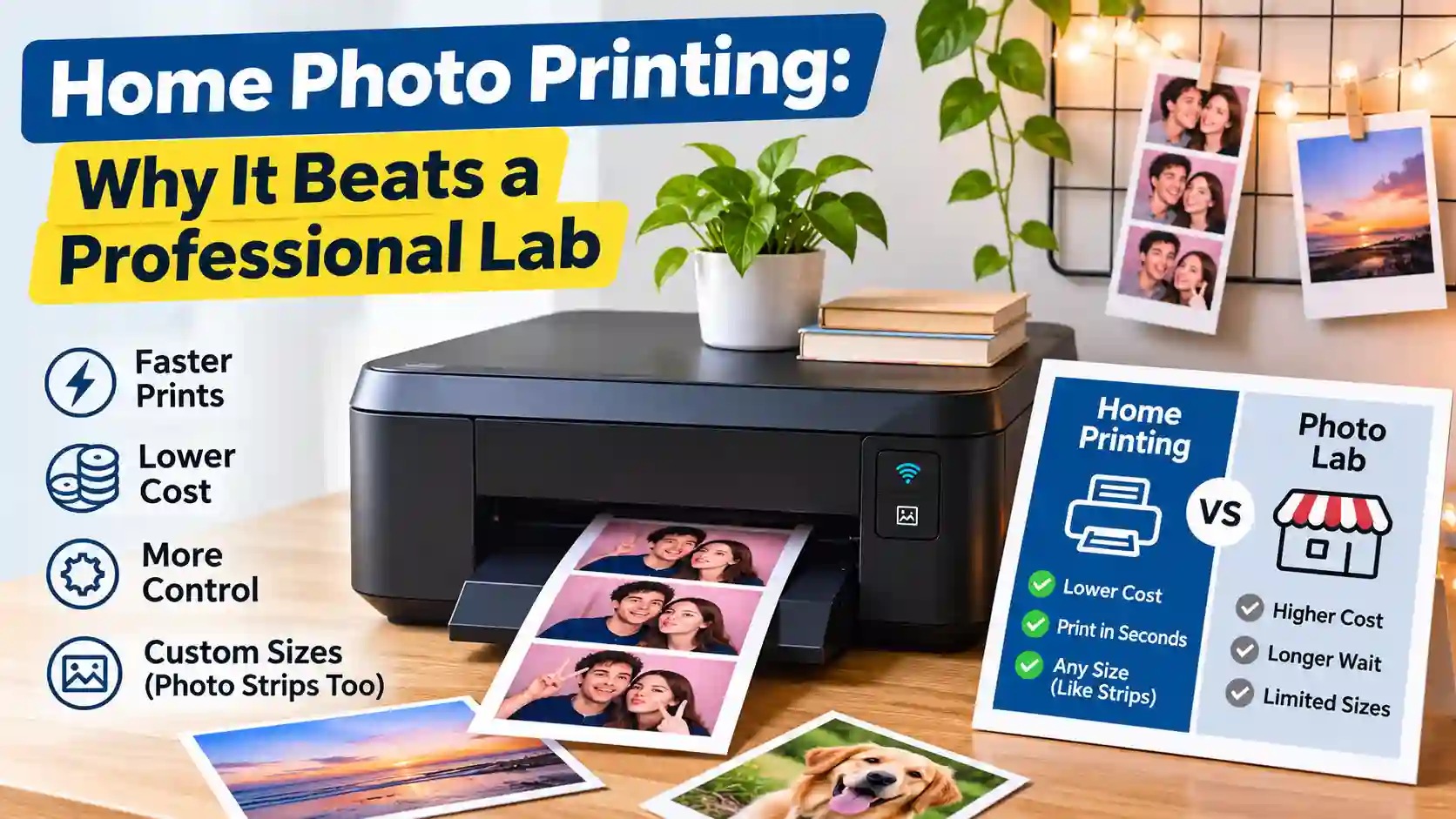
Home Photo Printing: Why It Beats a Professional Lab
Is home photo printing really better than a lab? See real 2026 costs per print, speed and quality, when a lab still wins, and how to print photo strips.
You just left a birthday party with a Korean 4-cut strip on your phone, and you want it on the fridge by tonight. That wish explains why home photo printing keeps growing, since a desk printer turns a file into a print in under a minute. Professional labs still have their place, though, and this guide shows you exactly where that place is. You will see real 2026 prices from Walgreens, CVS, Walmart and Shutterfly, plus the true cost of ink and an easy strip setup. By the end, you will know when home photo printing beats a professional lab and when you should send the file out.
The Complexity Myth: Why Home Photo Printing Is Easier Than Labs Say
Home photo printing is far easier than most labs make it sound. You only need a photo printer, the right paper, a sharp file and a few settings. None of that calls for a studio or a color expert.
Labs and pro print sites often talk about color-managed workflows, ICC profiles and special inks. Those things do matter for gallery shows and fine art, so a lab is the right call if you sell large landscape prints. Most people want something much simpler, though, which is a clear and bright copy of a moment they care about. A strip from a friend's wedding or a 4x6 of your dog at the beach does not need museum-grade color. That means your setup can stay small, cheap and quick. A basic Canon PIXMA on a bedroom desk is enough for that kind of everyday print.
Home Photo Printing vs a Professional Lab: Quick Comparison
Home photo printing wins on small batches, photo strips and speed, while a lab wins on big orders, large sizes and long-term storage. This table shows how printing photos at home vs lab compares on the points people ask about most.
| Point | Home printer | Photo lab |
|---|---|---|
| Cost per 4x6 | 9 to 24 cents with an ink tank | 14 to 38 cents |
| Speed | About 22 seconds | 1 hour to 7 days |
| Sizes | Any size, including 2x6 strips | Set sizes like 4x6 and 5x7 |
| Batch size | One print is fine | Best for big orders |
| Control | Reprint right away | Place a new order |
| Longevity | Depends on ink and paper | About 60 years |
| Privacy | Files stay with you | Files go to the store |
Is It Cheaper to Print Photos at Home?
Yes, it is cheaper to print photos at home if you own an ink tank printer and print often. In that case home photo printing can bring a 4x6 below most store prices. If you only print a few times a year, a lab will usually cost less once you count ink that dries up.
What a 4x6 Print Costs at a Lab in 2026
A standard 4x6 costs between 14 and 38 cents at the big US labs in 2026, based on this price comparison by 4x6photo.com. Walgreens Photo charges $0.38 with 1-hour pickup, or $0.19 with a promo code. CVS Photo charges $0.35, or $0.20 with a code, and it also offers same-day pickup. Walmart Photo Center is the cheapest local option at $0.14. Shutterfly costs $0.15 to $0.24 plus shipping, and delivery takes three to seven days.
What a Home Print Really Costs
With an ink tank printer, home photo printing costs roughly 9 to 24 cents for a 4x6 once you add ink and paper. Epson says its EcoTank ET-8550 uses about 4 cents of ink per 4x6. A cartridge printer uses about 40 cents, as this Castle Ink review explains. Paper is often the bigger cost, ranging from $0.05 a sheet in a 400-pack to $0.20 a sheet in a 50-pack. Photo strips cost even less, because two 2x6 strips fit on one 4x6 sheet. Each strip then costs about 5 to 12 cents, which is less than any 4x6 on the lab list.
The Hidden Cost: Ink You Never Use
The hidden cost of home photo printing is ink that you buy but never use. Unused ink can dry out, and that pushes your photo printing cost per print up fast. How-To Geek worked out that $75 of ink and paper spread over only 20 prints makes each one cost $3.75. The printer adds to the bill too, since a $180 model adds $0.18 per print over 1,000 prints. A good rule is to print a few times a month, or the lab will be cheaper.
Where Home Photo Printing Wins
Home photo printing wins whenever speed, small orders, odd sizes or privacy matter more than a few cents. These four advantages explain why journalers, scrapbookers and photo booth fans keep a printer at home, even when a Walgreens is down the street. Each one also solves a problem that a lab order cannot fix for you.
Speed: Prints in Seconds, Not Days
With home photo printing, you get a finished print in seconds, while even the fastest lab needs an hour and a trip out. In Digital Camera World's testing, the Epson EcoTank ET-8550 made a 4x6 in about 22 seconds at standard quality. High-quality mode takes about 1 minute 25 seconds, which still beats any pickup window. That speed lets you hand guests their strips before the birthday cake is gone.
Small Batches and Odd Sizes Like Photo Strips
Printing at home lets you make one print at a time in almost any size. That flexibility makes it the easiest way to print photo strips at home. Labs stick to standard sizes, and the Walgreens menu lists 4x6, 5x7, 8x10, 4x4 and 8x8 prints with no 2x6 option. A Korean 4-cut or Classic 3-pose strip from TryPhotoBooth is 2x6, so two of them fit on one 4x6 sheet. You also skip order minimums and shipping fees when you need one strip for a card.
Full Control and Instant Reprints
At home you control every part of the print. If the crop is off or a face looks too dark, you can fix it and reprint in a minute. You can also switch between glossy and matte paper to change the mood of a photo. A lab order takes that freedom away, because once you send the file, you wait to see the result.
Privacy: Your Photos Never Leave Home
Privacy is a quiet benefit of home photo printing, because your photos stay on your own device with no upload to a store server. This fits the way TryPhotoBooth works, since the booth runs in your browser and only keeps photos you share in the Weekly Spotlight gallery.
What Home Printing Actually Requires
Home photo printing needs only four things, which are a photo printer, real photo paper, a 300 DPI file and the right settings. Each part is easy to get right, and once they are set up, every new print takes about two minutes. If you already own a Canon PIXMA or an HP Envy, you may only need photo paper to get started.
The Right Printer: Inkjet, Ink Tank or Canon SELPHY
Choosing a home photo printer depends on how often you print, so the best printer for printing photos differs from person to person. A cartridge inkjet such as a Canon PIXMA or an HP Envy costs little up front. Its ink makes every print pricier, though, so it suits people who print now and then. An ink tank printer such as the Epson EcoTank ET-8550 or a Canon MegaTank costs more at first. The ET-8550 lists at $749.99, so it pays off only for frequent printing. In return, its refillable bottles bring the ink cost down to a few cents per photo. The Canon SELPHY CP1500 is a third choice, since it is a small, portable dye-sub printer made for 4x6 prints. It uses matched ink-and-paper sets and fits on a party table.
Photo Paper: Glossy or Matte
Glossy vs matte photo paper comes down to the look you want. Glossy gives bright, sharp prints close to a lab copy, while matte gives a soft finish that suits vintage strips. Always use real 4x6 photo paper, because plain paper soaks up ink and dulls the colors. Our guide to photo paper for printing at home covers finishes and paper weights in more detail.
A 300 DPI Print-Ready File
A 300 DPI file has enough detail to print sharp at 4x6 and 2x6, which is why it is the standard for photo prints. Lower-resolution images can look soft or blocky on paper, even when they look fine on a phone. TryPhotoBooth exports every strip at 300 DPI, so a Vintage date-stamp or Hearts strip is ready to print right after download.
The Correct Printer Settings
The right settings matter as much as the printer, because the wrong paper type can ruin a great file. In the print window, set the media type to photo or glossy paper and set the quality to best. Then choose the correct paper size and turn on borderless printing if you want no white edges. Finally, turn off "fit to page" so your strip prints at its true size.
The Color Accuracy Myth
Labs do produce more technically accurate color than home photo printing, and that is a fair point in their favor. That precision helps a fine-art seller, yet it rarely shows on a fridge door or in a scrapbook. For personal prints, a pleasing print matters more than a perfect match, especially when your photos already use film-style filters.
Why "Accurate" Isn't Always the Best-Looking Print
An accurate print copies your file's colors exactly, but the best-looking print is the one that feels right to you. Home printers often add a slight warm shift, and that warmth tends to suit vintage photos. If you shoot a strip with one of TryPhotoBooth's film-style filters, the extra warmth can help. It makes the print look more like a strip from an old mall photo booth. On a Life Four Cut style strip with soft pastel tones, the shift usually goes unnoticed.
Why Prints Look Darker Than Your Screen (and How to Fix It)
Prints often look darker than your screen because phones and laptops shine light through the image. Paper can only reflect the light in your room, so the same photo looks dimmer. Most people also keep screen brightness high, which makes the gap even bigger. To fix prints that look darker than the screen, lower your screen brightness before you judge a photo. You can also raise the photo's brightness a little in your editor before printing. Use the official driver from Epson, Canon or HP, and make sure the paper type in your settings matches the paper in the tray.
How Long Do Home Photo Prints Last?
Home photo printing can give you prints that last for decades if you choose the right ink and store them well. Lab prints still set the bar, though, because Fujifilm Crystal Archive paper is rated for about 60 years in dark storage. That figure comes from print permanence research that draws on Wilhelm Imaging Research. With inkjet printers, dye vs pigment ink makes the biggest difference to print longevity. Pigment inks last longest on matched papers, while dye inks look bright but fade faster in sunlight. Keep your prints in albums, sleeves or frames away from sunny windows to keep them bright. For a Vintage date-stamp strip you want to keep, a closed photo album is the safest home.
How to Set Up Home Photo Printing in 20 Minutes
You can set up home photo printing in about 20 minutes, and after that each print takes only a couple of minutes. Follow these steps in order, and your first photo strip will be printed and cut before your coffee gets cold.
- Pick a printer that fits how often you print, such as a Canon PIXMA, an Epson EcoTank or a Canon SELPHY CP1500.
- Buy a pack of 4x6 photo paper in glossy or matte.
- Install the official driver from the maker's website instead of the generic Windows or Mac driver.
- Open the free online photo booth, shoot a Korean 4-cut or Classic 3-pose strip, and download it at 300 DPI.
- Place two 2x6 strips side by side on a 4x6 canvas in a free editor, with a thin gap between them.
- In the print window, choose photo paper, best quality and 4x6 size, and turn off "fit to page".
- Print one test copy on plain paper to check the size and layout.
- Print on photo paper, let the ink dry for a few minutes, and cut along the gap with a paper trimmer.
When a Professional Lab Still Wins
A professional lab is still the better choice for large orders, big prints and photos you want to keep for generations. If you need 200 holiday prints, Walmart Photo Center at $0.14 each will likely beat a cartridge printer. Large prints are easier at a lab as well, since printers like the Canon MegaTank G620 stop at letter size. Even the ET-8550 tops out at 13x19, so poster sizes are a lab job. Family photos meant to last 60 years also belong on lab paper. The lab also wins if you print rarely, because unused ink makes home photo printing expensive. Many people use both, printing strips at home and sending big orders out, which is a fair photo lab vs printer balance.
Frequently Asked Questions
Is it cheaper to print photos at home or at a store?
Home is cheaper only if you print often with an ink tank printer, where a 4x6 costs 9 to 24 cents. If you rarely print, Walmart at $0.14 usually wins.
Is a home photo printer worth it, or just a hassle?
Yes, if you print every month or love making strips. If you hate setting up drivers and refilling ink, a lab will save you that hassle.
Should a beginner use a lab or buy a printer?
Start with a few lab orders to learn what you like. Once you print often or want 2x6 strips, a printer makes more sense.
Is a Canon SELPHY cheaper than printing at a store?
That depends on the ink-and-paper set price and how often you print. The SELPHY wins on speed, since it prints 4x6 photos at home or at a party.
Do pocket printer (Zink) photos fade?
Any print can fade in sunlight, and pocket printer photos are no exception. For keepers, use pigment ink or a lab print and store them away from windows.
Is it better to print photos at home or at a photo studio?
Print at home for speed, small batches and photo strips. Use a studio or lab for large prints, big orders and family photos meant to last decades.
Is there a frugal way to print photos?
Print only the photos you will keep, and use promo codes at Walgreens or CVS for big batches. At home, fit two 2x6 strips on each 4x6 sheet.
Print the Moments You Love at Home
For everyday prints, photo strips and last-minute gifts, home photo printing gives you speed, control and low costs, as long as you print often. For giant orders and archival family photos, a professional lab is still worth the trip. The smart move is to use each one for what it does best. Start tonight by opening TryPhotoBooth, shooting a Korean 4-cut strip with your favorite filter, and downloading it at 300 DPI. Then print two strips on one 4x6 sheet, cut them apart, and give one to a friend who was there.
Keep Reading
Ready to try this in your browser?
Launch our free 3D studio, test out vintage filters, and save your photo strip instantly.