How to Choose the Right Photo Paper for Printing at Home: The Complete 2026 Guide
Pick the right photo paper for printing at home. Compare glossy, luster and matte, gsm weight, sizes and ink types, plus tips for printing photo strips.
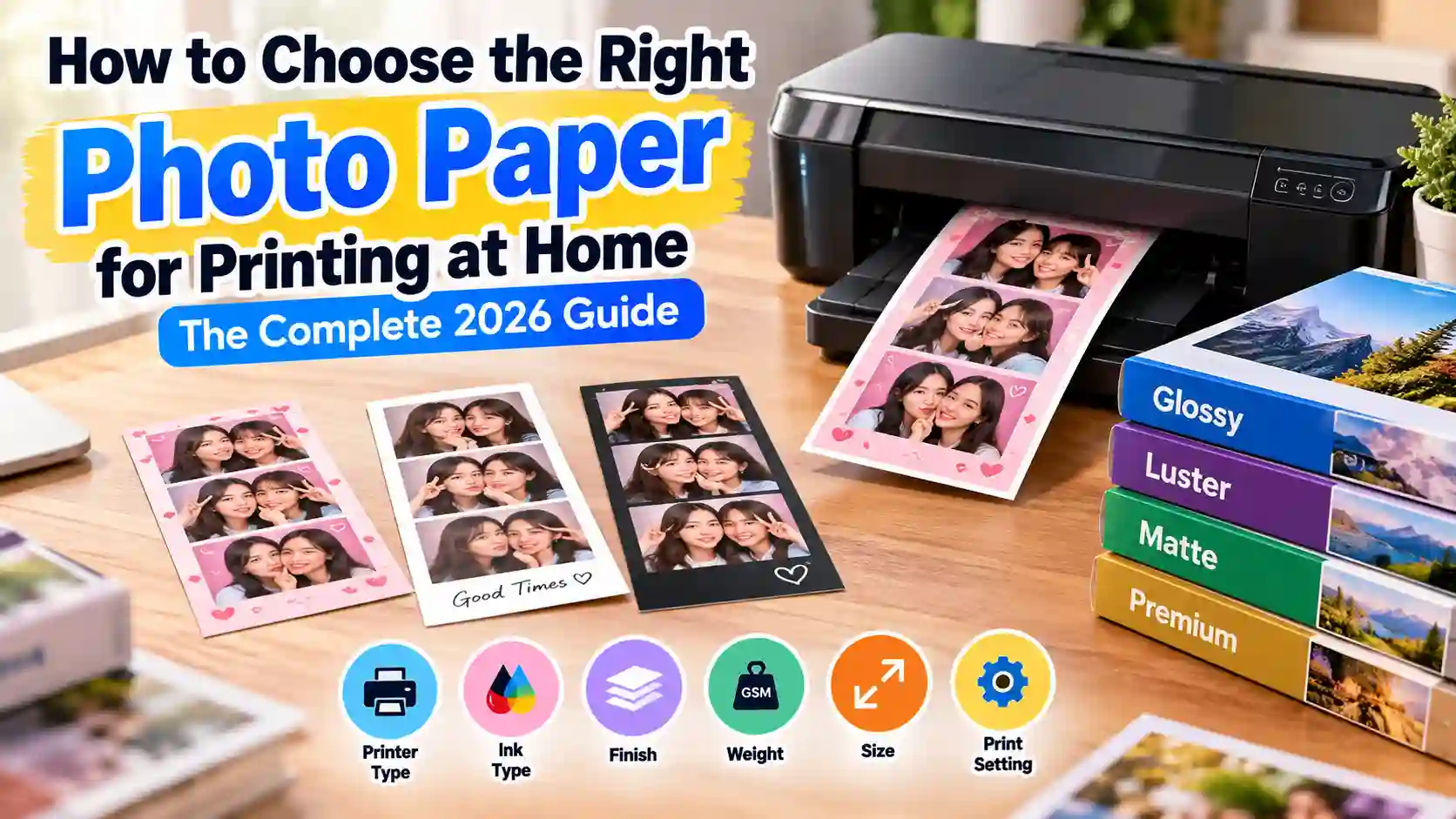
You finally got the perfect Korean 4-cut strip on TryPhotoBooth, with your best friend laughing in every frame and a soft Vintage theme glow. Then you print it on a cheap sheet, and the colors come out flat while the paper curls in your hand. It happens at birthday parties, wedding receptions and sleepovers more often than you would think. Most of the time the printer is not the problem, because the real fix is picking the right photo paper for printing at home. This guide covers the six choices that shape every print: your printer, your ink, the finish, the weight, the size and the print setting. By the end, you will know which photo paper for printing at home fits your party strips, Polaroid prints and framed photos.
Why Paper Choice Matters More Than Your Printer
Photo paper makes a bigger difference than most people expect, because its coating holds the ink on top of the sheet. That is why one Canon PIXMA or Epson EcoTank can print a dull strip on one sheet and a sharp strip on the next.
Regular copy paper weighs about 80 grams per square meter, and its loose fibers soak up wet ink like a paper towel. As the ink spreads, small details like eyelashes, sticker edges and the Polaroid date stamp turn soft and fuzzy. Photo paper uses a resin-coated base that keeps each drop of ink small and bright. Because of that coating, colors stay rich and the sheet stays flat after printing. So when your prints look washed out, change the paper before you blame the printer. Good photo paper for printing at home costs far less than a new machine, and it fixes the problem faster.
Quick Picks: Photo Paper for Printing at Home by Use
The quick answer is to use glossy for bright party strips, luster for most keepsakes, and matte for scrapbooks and vintage looks. The table below matches each TryPhotoBooth layout with the photo paper for printing at home that suits it best. It is the fastest way to learn how to choose photo paper without reading every pack label.
| Use | Finish | Weight | Size |
|---|---|---|---|
| Party strips (Hearts, Holidays) | Glossy | 230-270 gsm | 4x6 |
| Vintage Polaroid layout | Luster | 240-270 gsm | 4x6 |
| Framed photo or 2x2 collage | Luster or matte | 250+ gsm | 5x7 or 8x10 |
| Scrapbook pages | Matte | 170-250 gsm | 4x6 or Letter |
| Wedding guest prints | Luster | 240+ gsm | 4x6 |
If you only want to buy one pack, choose a 4x6 luster pack, since it handles strips, Polaroids and wedding prints well.
Match the Paper to Your Printer and Ink
Your printer decides which paper you can use at all, so check it before you think about finishes. Inkjet printers take almost any inkjet photo paper, while dye-sub printers like the Canon SELPHY need their own kits. Laser printers need special laser paper, and your ink type then decides how long each print lasts. The four parts below help you match photo paper for printing at home to the machine you own.
Inkjet Printers: Canon PIXMA, Epson EcoTank and HP
Most home printers are inkjets, such as the Canon PIXMA, the Epson EcoTank ET-8550 and the HP ENVY. They all work with regular inkjet photo paper, so any brand will feed and print. Still, the best photo paper for inkjet printer owners is usually the maker’s own brand, because the driver has a matching setting. Canon Photo Paper Plus Glossy II and Epson EcoTank photo paper both work this way. When you use HP photo paper or another brand of photo paper for printing at home, pick the closest paper type in the print window.
Dye-Sub Photo Printers: Canon SELPHY
A dye-sub printer like the Canon SELPHY CP1500 does not use loose photo paper at all. It needs a matched kit, such as the Canon KP-108IN, with about 108 sheets of 4x6 paper and the ink to print them. The printer heats colored dye from a ribbon onto the paper, then adds a clear laminate layer against UV light and moisture. Since Canon SELPHY paper and ribbon are made as a pair, regular photo paper will not work.
Laser Printers: Why Inkjet Photo Paper Is Off-Limits
A laser printer should never take inkjet photo paper, because its fuser can pass 400°F while it melts toner onto the page. At that heat, the coating can melt onto the drum, and repairs often cost more than $300 (ABM). If a laser is your only printer, buy photo paper for laser printers instead. Before you load a pack, check that it clearly says “laser compatible” on the box.
Dye vs Pigment Ink
Dye ink gives brighter colors on glossy paper, while pigment ink lasts much longer before it fades. Many home photo printers use dye ink for color, which looks great on glossy and luster paper. The trade-off is that dye prints can fade sooner in sunlight and ozone. Inks sold as “archival” are usually pigment inks, and they hold up best on matte and fine art paper. Wilhelm Imaging Research says the most stable inkjet inks resist light over 2,000 times better than the least stable ones (Wilhelm Imaging Research). So check your ink bottle or cartridge box before you buy photo paper for printing at home.
Glossy vs Matte vs Luster: The Four Main Photo Paper Finishes
The four main photo paper types are glossy, luster, matte and metallic. In the glossy vs matte photo paper debate, glossy wins on color and matte wins on glare, while luster sits between them.
| Finish | Look | Best for |
|---|---|---|
| Glossy | Shiny, bold | Party strips |
| Luster | Soft sheen | Polaroids, weddings |
| Matte | No glare | Scrapbooks |
| Metallic | Pearl shimmer | Y2K strips |
Glossy
Glossy paper gives you the brightest colors and the deepest blacks, so it is the best choice when you want a strip to pop. It suits loud party strips made with the Hearts or Holidays themes and birthday shots with the crown overlay. The downside is the shine itself, since glossy prints reflect lamps and windows. They also show every fingerprint after a few friends pass them around. For album sleeves and fridge doors, glossy photo paper for printing at home works well. For prints that get handled a lot, luster is the safer pick.
Luster (Semi-Gloss, Satin)
Luster paper, also sold as satin or semi-gloss, is the best all-round finish because it keeps strong color while cutting most glare. Its light texture hides fingerprints, which is why so many photo labs offer it as a standard option. Luster photo paper fits the Vintage Polaroid layout, because the soft sheen looks close to a real instant print. It also suits thewedding photo booth strips that guests pass around a table. Satin photo paper from Epson, Canon and Ilford all sits in this group. If you are still unsure which photo paper for printing at home to buy, start with luster.
Matte
Matte paper has no shine at all, so it never shows glare and you can write on it with a pen. That makes it a great match for scrapbook pages, guestbook strips and frames without glass. Colors look softer on matte, which suits thefilm-style filters and the Vintage and Solace themes on TryPhotoBooth. That faded look feels more like an old film print than a phone photo. For gallery work, fine art paper made from cotton rag, such as Hahnemühle Photo Rag, adds texture and archival quality. It costs more than regular matte photo paper for printing at home, so save it for keepsakes.
Metallic
Metallic paper has a pearl-like base that gives your print a shimmer when you tilt it in the light. It is not silver-based, as some guides claim, but its pearly coating makes chrome, glitter and bright colors glow. That shine pairs well with a Y2K strip, a New Year’s Eve photo or a sparkly Holidays theme. You can see more of that look in ourY2K photo booth aesthetic guide.
Photo Paper Weight: Which GSM to Choose
For most home prints, choose paper between 230 and 270 gsm, because it feels like a real lab print. GSM means grams per square meter, and it tells you how heavy the paper is. Thickness is listed in mil, which means thousandths of an inch. Photo paper weight and photo paper thickness usually rise together, so a heavier sheet also feels stiffer.
| Weight | What it is | Good for |
|---|---|---|
| 80 gsm | Office copy paper | Test prints only |
| 170 gsm | Light photo paper | Budget scrapbook pages |
| 230-270 gsm | Premium photo paper | Strips, Polaroids, frames |
| 300+ gsm | Fine art and heavy paper | Gallery prints, keepsakes |
As a real example, Epson Premium Photo Paper Glossy weighs 252 gsm and is 10.4 mil thick. That puts it right in the sweet spot for photo paper for printing at home. Before you buy heavier sheets, check your printer manual for its top paper weight. Some home printers jam on very thick paper, and one jam can ruin a whole sheet of strips.
Photo Paper Sizes for Printing Strips and Photos
The most useful size of photo paper for printing at home is 4x6, because it fits two TryPhotoBooth strips side by side. The table below lists common photo paper sizes and the best use for each one.
| Size | Inches | mm | Best use |
|---|---|---|---|
| Wallet | 2 x 3 | 51 x 76 | Mini prints |
| 4x6 (4R, KG) | 4 x 6 | 102 x 152 | Two strips |
| 5x7 | 5 x 7 | 127 x 178 | Frames, invites |
| 8x10 | 8 x 10 | 203 x 254 | Wall frames |
| Letter | 8.5 x 11 | 216 x 279 | Four strips |
| A4 | 8.3 x 11.7 | 210 x 297 | Four strips outside the US |
Photo paper 4x6 is the easy pick for party strips and single Vintage Polaroid prints. Photo paper 8.5 x 11 saves time for a big wedding batch, because you can trim four strips from each sheet. You can see every strip shape in ourphoto booth layouts and frames guide.
Archival Stability: How Long Will Your Prints Last?
How long a print lasts depends on three things working together: the ink, the paper and the light around it. A pigment print on archival matte paper in an album will keep its color far longer than a dye print in a sunny window. Dye-sub prints from a Canon SELPHY get extra help from their clear laminate layer, which blocks UV light and moisture.
Instead of trusting one big number on the box, follow the ink and paper pair your printer maker suggests. Wilhelm Imaging Research tests these pairs and posts the results on its site. Paper quality matters too, since low-quality paper can turn yellow while acid-free archival paper holds up much better.
Storage is the part you control every day, so it deserves the same care as buying. Keep unused photo paper for printing at home flat in its sealed bag at about 65 to 75°F. Humidity should stay around 40 to 60%, and finished prints should stay out of direct sunlight. Let glossy prints dry fully before you stack them. If a favorite wedding strip will hang near a window, frame it behind UV glass.
Best Photo Paper for Photo Strips and Polaroid-Style Prints
The best photo paper for strips is a 4x6 luster or pearl sheet between about 240 and 310 gsm. These sheets handle bright and vintage filters equally well. The four picks below cover every budget, so you can match a photo paper for printing at home to your printer and your party.
Best Overall: Epson Ultra Premium Photo Paper Luster
Epson Ultra Premium Photo Paper Luster is our best overall photo paper for printing at home, because it gives rich color with very little glare. At about 240 gsm, it feels like a lab print in your hand. It is made for Epson printers like the EcoTank ET-8550. You can still use it in Canon or HP inkjets by choosing a luster setting.
Premium Pick: Ilford Galerie Smooth Pearl
Ilford Galerie Smooth Pearl is the premium pick for Korean 4-cut wedding strips and framed keepsakes you want to keep for years. At about 310 gsm, it feels thick and solid, and its pearl surface gives deep blacks with a soft sheen. It costs more per sheet than most photo paper for printing at home, so save it for your best shots.
Budget Pick: Canon Photo Paper Plus Glossy II
Canon Photo Paper Plus Glossy II is the best budget photo paper for printing at home when you need a big stack of party strips. It weighs 265 gsm, so it still feels sturdy, and Canon PIXMA printers have a matching setting for it in the driver. Its glossy finish makes the Hearts theme and bright filters look bold.
Most Durable: Canon SELPHY KP-108IN Kit
The Canon SELPHY KP-108IN kit is the toughest choice for parties, because every print gets a clear laminate layer that you can wipe clean. The kit costs $41.99 at Canon USA for about 108 prints, or about $0.39 per 4x6 print. It also fits the SELPHY CP1500, so you can print strips right at the event.
How to Print Photo Booth Strips at Home
To print photo booth strips at home, export your strip at full quality and place two strips on a 4x6 sheet. Then print at actual size with the right paper setting. Follow these steps once, and every strip after that will come out the same size and color as the first.
- Make your strip on PhotoBooth, pick a layout like the Korean 4-cut, and download it as a 300 DPI file.
- Open a 4x6 canvas in a free editor like Canva, and place two 2x6 strips side by side.
- Load your photo paper for printing at home with the coated side facing the way your printer manual shows.
- In the print window, choose the exact paper type, such as Photo Paper Plus Glossy II or Epson Premium Glossy.
- Set the print quality to Best or High, since the standard setting uses less ink.
- Choose Actual Size or 100% scale instead of Fit to Page, so each strip stays exactly 2x6 inches.
- Turn off automatic color correction, because it can change the filter colors you picked.
- Let the sheet dry for a few minutes, then trim it down the middle with a paper cutter.
Our Test: One Strip on Glossy, Luster and Matte
The easiest way to see how much paper matters is to print one strip on three finishes. Then you compare the three prints side by side under the same light. We kept the strip, the printer and every setting the same, and we changed only the paper.
[ADD TEST NOTES: printer model, layout and filter, the three papers with their gsm, and how each print looked for color, glare and fingerprints.]
When you run this test with your own photo paper for printing at home, check three things side by side. Look at the skin tones, the glare under a ceiling light, and the fingerprints after a friend holds the strip. Then take a photo of all three prints together, because it makes a great Pinterest pin or TikTok clip.
FAQs
Does the paper brand matter if I’m using the correct paper type?
Yes, the brand matters even within one finish, because each maker uses its own coating. Its printers also have settings tuned for that coating. Epson paper in an Epson EcoTank usually gives truer color than cheap no-name photo paper for printing at home. Those cheaper packs can look duller and may fade sooner.
Can I use photo paper made for one printer brand in another printer?
Yes, any inkjet photo paper works in any inkjet printer, so Epson paper will print fine in an HP ENVY or Canon PIXMA. Your printer will not list another brand’s paper, though. Pick the closest match, such as Glossy or Luster, in the print window so the ink amount stays right.
Is expensive photo paper worth it for casual prints?
Expensive paper is worth it for prints you plan to keep, but not for quick test prints. An 8.5x11 photo page costs about $0.50 to $1.50 on a home inkjet. So use premium photo paper for printing at home on wedding strips and frames, and cheaper glossy packs for party handouts.
Can you use regular printer ink on photo paper?
Yes, any inkjet photo paper for printing at home is made for the regular ink in your printer, so you do not need special ink. Just choose the right paper type in the print settings, because that tells the printer how much ink the coated surface can hold.
Why do my photo prints look dull or smudge?
Dull or smudged prints usually come from the wrong paper setting, printing on the back of the sheet, or stacking prints before they dry. Check that the coated side faces the right way, pick the matching paper type, and give each print a few minutes to dry.
Conclusion: Print on Paper Worth Holding
Great prints come from six simple choices, and you now know each one. Match the paper to your printer, check your ink, pick a finish and choose a weight around 230 to 270 gsm. Then buy the right size and set the paper type before you hit print. With those right, the photo paper for printing at home you pick will make strips look as good in your hand as on screen. Head over toTryPhotoBooth and make a free Korean 4-cut or Vintage Polaroid strip. Print your first test sheet tonight, then share it with us on Instagram or Pinterest @tryphotobooth.
Keep Reading
Want more ideas for your next print run? Start with these guides:
Ready to try this in your browser?
Launch our free 3D studio, test out vintage filters, and save your photo strip instantly.