How to Create a Photo Journal That You'll Actually Keep: A System That Works for Real People
Learn how to make a photo journal you'll actually keep: one photo strip and one sentence a week, plus free formats, ideas and prompts for real people.
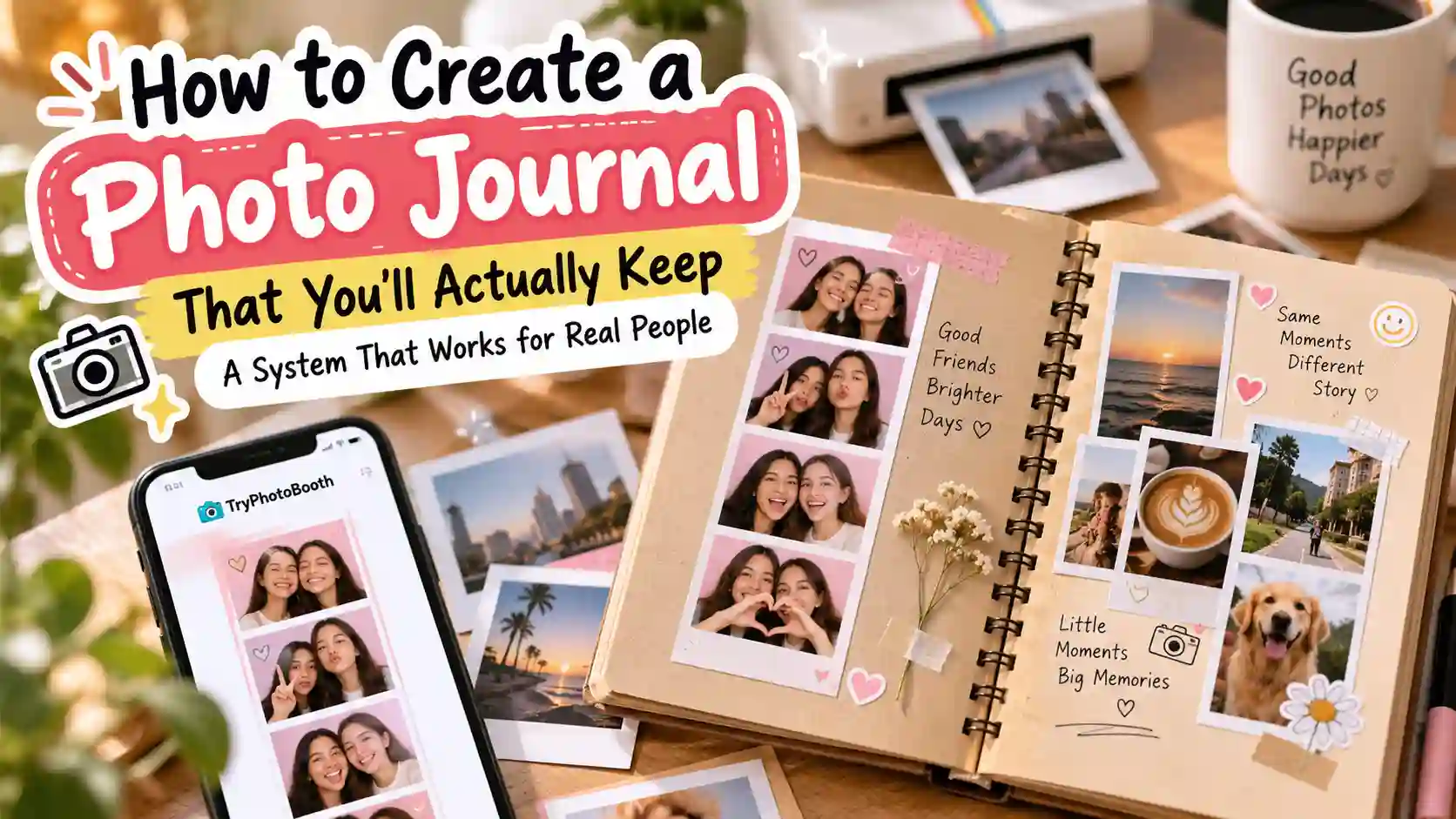
You probably know the feeling of starting a journal with big plans in January. You bought a lovely notebook, glued in three careful photos and wrote a long first entry, and then life got busy. Now that half-filled photo journal sits on a shelf, and it gives you a small pinch of guilt every time you see it. The problem was never you, because most journaling plans ask for too much time and too many choices. This guide shows you a photo journal system built for busy, normal people. Each week you make one photo strip and write one sentence, and the whole thing takes about 10 minutes. You can even make the strip free in your browser with [PhotoBooth](/).
What Is a Photo Journal?
A photo journal is a diary where pictures do most of the talking and a short caption tells the story behind them. Each page usually holds a few photos, a date and a line of writing, so your year reads like a slow movie. A scrapbook is different because it often covers one event, like a wedding or a trip. It also leans on decoration such as washi tape and journaling stickers. A photo diary is close to a photo journal, but people often keep it in an app like Day One, where the words come first.
Why Most Photo Journals Stop by February
Most people stop their photo journal by February because the system asks for too much, not because they lack willpower. In January you have plenty of energy, so you pick perfect photos, write a full page and decorate every corner. By the third week, work and family take that energy back, and an entry that once felt fun starts to feel like homework.
Your camera roll makes it worse, because there is too much to choose from. Photutorial estimates that people will take about 2.2 trillion photos in 2026, which is roughly 6 billion photos every day (Photutorial). Your phone holds only a tiny slice of that pile. Even so, it can collect hundreds of new pictures in a week, and sorting them can take longer than the journaling itself.
The writing adds more weight, since a blank page seems to ask for a long story when you only have five tired minutes. Then you miss one week, the empty page starts to look like proof that you failed, and the notebook goes back on the shelf. Each of these pain points has the same root, which is an entry that costs too much time, too many choices or too much guilt.
The 4 Rules of a Photo Journal You Can Keep
A photo journal you can keep follows four simple rules: a fixed time window, a fixed format, a 10-minute entry and room for mess. Each rule removes one reason people quit, which is why this setup works so well as a photo journal for beginners.
1. Use a fixed time window. Each entry covers one set stretch of time, such as Monday to Sunday, so you never wonder what belongs on the page. You only think about that week, which shrinks a huge camera roll down to a handful of moments.
2. Keep a fixed format. Every page should look the same, for example one Korean 4-cut strip with one sentence under it. When the layout never changes, you skip the design choices that drain your energy.
3. Keep each entry to 10 minutes. A short entry is easy to start on a tired Sunday night, and a habit that feels easy is one you will repeat. If an entry keeps running longer, the system is too heavy for your life, so cut something out.
4. Let it be imperfect. A crooked strip or a plain sentence still saves the memory, and a finished page always beats a perfect page you never made. Your future self will care far more about what happened than about neat handwriting.
How to Make a Photo Journal: The 6-Step System
To make a photo journal that lasts, you only need six small steps. First you choose a format, set a weekly rhythm, make one photo strip and write one sentence. Then you lock a time slot, and finally you print and back up your pages. Each step takes a few minutes, and together they turn a scattered week into a page worth reading again.
Step 1: Choose a Format That Fits Your Life
The best photo journal format is the one that matches where your photos and habits already live. If your day runs on an iPhone or Android phone, a digital album will feel natural. If you love paper, glue and pens, a notebook will keep pulling you back.
| Format | Best for | Tools | Cost |
|---|---|---|---|
| Paper notebook | People who enjoy hands-on time | Moleskine, Leuchtturm1917, Traveler's Notebook | Low |
| Pocket album | The least effort on paper | Project Life style pocket pages, Polaroid album | Low |
| Digital album | Phone-first people | Google Photos, Apple Photos | Free |
| Journal app | People who like to write more | Day One, Apple Journal | Free to paid |
| Video diary | People who hate writing | 1 Second Everyday | Free to paid |
| Pinterest board | Visual planners | Pinterest secret board | Free |
| Hybrid | Most busy people | TryPhotoBooth strip, Google Photos, monthly print | Low |
A hybrid setup suits most people because the weekly work stays on your phone and the paper part happens once a month. You make the strip online, save it to a Google Photos album, and print a batch each month.
If you choose paper, a dotted Leuchtturm1917 or a kraft paper scrapbook gives each strip room for a caption. Keep glue tape and a pen inside the cover, because a journal that needs a supply hunt will sit untouched. You can skip the fancy photo journaling kit, since a pen and tape are enough.
A digital photo journal suits people who travel light or want to share with family. A shared Apple Photos album lets a grandparent see each new page. A photo journaling app like Day One even adds the date and place for you.
See what a finished page looks like in our layouts and frames guide first. Then stay with one format for two months before you judge it.
Step 2: Pick a Rhythm (Weekly Works Best)
A weekly rhythm works best for most people, because one entry a week gives you 52 pages a year without daily pressure. You get enough time to live a few moments worth saving, and the task stays small enough to finish in one sitting.
Other rhythms can fit special seasons of life. A one photo a day journal, often called a 365 project, suits new parents or anyone who wants a close daily record. A monthly rhythm works if you only have spare time once a month, and the TryPhotoBooth 2x2 collage holds four moments from those 30 days. A trip journal is short and fun, with one strip for each day of a holiday in Lisbon or Lahore. Start weekly, and change your rhythm only after the habit feels automatic.
Step 3: Make Your First Photo Strip
Your first strip should show the four most telling moments of your week, not the four prettiest. A messy dinner with friends says more than a perfect sunset, so choose moments you would tell a friend about over tea.
Once you know your four moments, open TryPhotoBooth in your browser and shoot a fresh strip that points to each one. For example, you could hold up a concert ticket, then your new café mug, then your kid's drawing, and finish with your best tired face. Pick Layout B, the Korean 4-cut strip, which stacks four frames like the Life Four Cut booths in Seoul. If you want the date recorded too, choose the Vintage layout, since its sepia look comes with a date stamp. Our guide to making a photo strip free in your browser covers every button, and iPhone users can follow the no-app iPhone steps.
Next, pick one of the 18 film filters and use it all year. One steady look makes 52 pages feel like a matching set, and our photo booth filters guide can help you choose.
When you finish, download the strip at 300 DPI so it prints sharp. TryPhotoBooth runs in your browser and does not store your photos, which matters when the pictures are personal. If you also want favourite camera roll shots, print them small and glue them beside the strip. After a few weeks, this whole step takes about two minutes.
Step 4: Write One Sentence Per Strip
Write one sentence under each strip that names who was there, where you were and one small detail. That single line takes about a minute, yet it holds the part a photo cannot show, which is what the moment felt like.
Here is the difference in action. A weak caption says, "Fun weekend with friends," which you will forget in a year. A strong caption says, "Sara burned the popcorn at her new flat in Leeds, and the smoke alarm joined our laughing." The second one puts you right back in the room.
Short writing can still help you think. The American Psychological Association reports that writing which helps people find meaning in events seems to help more than simple venting (APA Monitor). So on a harder week, let your sentence say what you learned, not only what went wrong.
Step 5: Lock a Weekly Time Slot
Tie your journaling to something you already do every week, so the habit has a home. Many people pick Sunday morning coffee, a Friday train ride or the quiet hour after the kids sleep, and this trick is called habit stacking.
Set a repeating phone reminder for that slot, and keep your pen, glue tape and printed strips in one box. That way you can start without searching. Be patient with yourself, because habits take time to settle. Phillippa Lally and her team at University College London found that new habits took about 66 days on average to feel automatic. Their study also found that missing one day did not undo the progress (UCL).
Step 6: Print, Back Up and Make a Yearly Book
Print your strips once a month and keep three copies of your digital files. Then, in December, turn the whole year into one book. Good memory keeping is mostly about protection, and these three habits guard your pages against lost phones, faded ink and busy months.
For printing, matte paper works well for journal pages because it takes glue and pen without smudging, and our matte paper guide explains why. A journaling photo printer is handy if you like printing at the table. The Canon SELPHY CP1500 makes prints that look like they came from a photo lab. The Fujifilm Instax mini Link, HP Sprocket and Kodak Step print small sticker-backed photos that fit any notebook. If you would rather not buy a printer, upload a month of strips to Walgreens or CVS and pick them up on your next errand.
For backups, follow the 3-2-1 rule, which means three copies of your files on two different devices, with one copy kept off-site (Backblaze). Google Photos, an external drive and a second cloud account such as Dropbox cover all three points.
At the end of the year, send your 52 strips and captions to Chatbooks, Artifact Uprising or Shutterfly for a printed book. That book becomes the easiest thing in your home to pass down, and it sits proudly next to the old family photo album.
What to Write in a Photo Journal When Your Mind Goes Blank
When you cannot think of anything to write, answer one small, specific question about the week instead of trying to sum it all up. A narrow prompt gives your brain a clear job, and one honest sentence is enough. Use these prompts whenever the page stares back at you.
- What did this week sound or smell like? "The whole flat smelled like Mum's biryani on Saturday, and the neighbours knocked to ask for some."
- Who made you laugh? "Ali tried to parallel park for ten minutes while his grandfather gave loud advice from the back seat."
- What did you do for the first time? "I took the train to Brighton alone and ate chips on the pier in the rain."
- What was hard, and how did you get through it? "Exam week drained me, but a long walk with Hina on Thursday reset my head."
- What do you want to remember in 10 years? "Zara said her first full sentence, and it was a demand for more mango."
- What small thing went right? "The plant I almost killed in August pushed out a new leaf this week."
Each of these lines also works as a photo journal example, because it shows how much a single detail can carry. Keep the list on a sticky note inside your cover.
Photo Journal Ideas for Beginners
The easiest photo journal ideas give every page a theme, so you always know what to shoot and write. Pick one for the whole year or switch with the seasons, and match it to a TryPhotoBooth layout.
- Same spot every week: Shoot your window or street corner in a Classic 3-pose strip and watch the seasons change.
- Pet journal: Give your dog or cat puppy ears with the Dog filter every Sunday.
- Couples journal: Shoot one Hearts strip a week with your partner.
- Travel journal: Make one Vintage Polaroid per city, and let the date stamp record when you were in Rome or Karachi.
- Gratitude journal: Fill each frame of a 4-cut strip with one thing you are thankful for.
- Baby's first year: Take a Layout B strip every Sunday and watch your baby grow across 52 pages.
- School year journal: Class of 2027 students can shoot a weekly strip with the crown overlay and build their own yearbook.
- Seasonal journal: Make special strips for Halloween, Christmas, Eid, Diwali and birthdays with matching frame colors and stickers.
- Firsts journal: Save first jobs, first apartments and first concerts in the Vintage layout.
- Y2K journal: Use grainy filters and bright frames from our Y2K photo booth aesthetic guide.
- Cup of the week: Shoot your coffee, chai or matcha in a calm Solace strip.
A photo journal for kids works best with the Dog filter or bunny ears. Children love the silly faces, and one word is enough for a caption.
Why the Photo Strip Format Works So Well for Journaling
A photo strip works well for journaling because it limits your frames, tells a short story in order and looks the same every week. Those three features remove the hardest parts of keeping a journal, which are choosing, arranging and designing.
The limit is a gift, because four frames force you to decide what mattered most. The order adds meaning too, since frame one to frame four reads like a tiny comic of your week, from Monday's rush to Sunday's rest. The fixed shape then keeps your pages tidy without any design work.
The photo strip idea also has a long history behind it. Anatol Josepho opened his Photomaton booth on Broadway in New York in 1925, and crowds lined up to try it. Today the same habit lives on in South Korea, where Life Four Cut booths are a favourite stop for friends on a night out. Your weekly strip brings that tradition home, and you do not need a single coin.
How to Restart a Photo Journal After You Quit
To restart after a break, skip the missing weeks and make an entry for this week only. Trying to backfill months of gaps is the fastest way to quit again, because it turns a 10-minute habit into a weekend chore.
James Clear makes this point in his article "Avoid the Second Mistake." He explains that one slip matters little, but repeating it starts a new pattern (James Clear). So if you missed one week, make sure you show up the next.
Make your comeback entry smaller than usual, with one quick Vintage strip and three words if that is all you have. A tiny page still breaks the silence, and the next page always feels easier.
Photo Journal FAQs
Can I make a digital photo journal for free?
Yes, you can make one for free. Shoot a weekly strip in TryPhotoBooth, which has no signup or watermark, then save it to a Google Photos album or Apple Journal. Add your caption in the description box, and your digital photo journal is ready to grow week by week.
How many photos should go on each page?
Three or four photos per page is the sweet spot for most people. That is enough to tell a small story without sorting through dozens of shots. A 4-cut or 3-pose strip sets the limit for you, so you never have to argue with yourself about it.
What is the best printer for photo journaling?
A mini printer is the most convenient choice for most people. The Canon SELPHY CP1500 makes lab-style prints, while the Instax mini Link, HP Sprocket and Kodak Step print sticker-backed photos. If you only print once a month, pharmacy printing at Walgreens or CVS also works well.
What if I miss a week?
Skip it and make this week's entry as normal. Research from University College London found that missing one day did not break a forming habit. The real danger is missing twice in a row, so treat your next entry as the most important one and keep it short.
Should I only include happy memories?
No, your journal should include hard weeks too. Writing about a tough moment and what you learned from it can help you make sense of it. Those pages also keep the journal honest, so it reads like your real life instead of a highlight reel on Instagram.
How far back can I start?
Start with last week and move forward from there. You can add old photos later if you enjoy it, but backfilling should never stand between you and your next entry. A journal that begins today will still hold 52 pages by this time next year, and that is plenty.
Can a photo journal work for kids or a school project?
Yes, it works well for both, as long as you keep it simple. Kids enjoy silly strips with the Dog filter or bunny ears, and one word is enough. Teachers who ask for a photo journal for school project work will see clear progress across a term.
What happens to my photo journal in the future?
A printed book is the safest way to pass it on. Phones break and accounts get locked, but a book from Chatbooks or Artifact Uprising can sit on a shelf for decades. Keep your digital files backed up with the 3-2-1 rule as well, so you have both.
Start With Last Week
You do not need a new notebook, a perfect plan or a free weekend to begin. Open TryPhotoBooth now, shoot one strip that points to four moments from last week, and write one honest sentence under it. That single page is the start of a photo journal you will actually keep, because it costs you 10 minutes and nothing else. Do it again next Sunday, and by this time next year you will have 52 small stories to flip through, all in your own words.
Make your first strip free on TryPhotoBooth
Keep Reading
Ready to try this in your browser?
Launch our free 3D studio, test out vintage filters, and save your photo strip instantly.