What Is an Online Photo Booth and How Does It Work?
Learn what an online photo booth is, how it works, what you can create with it, and how to take better photo booth pictures.
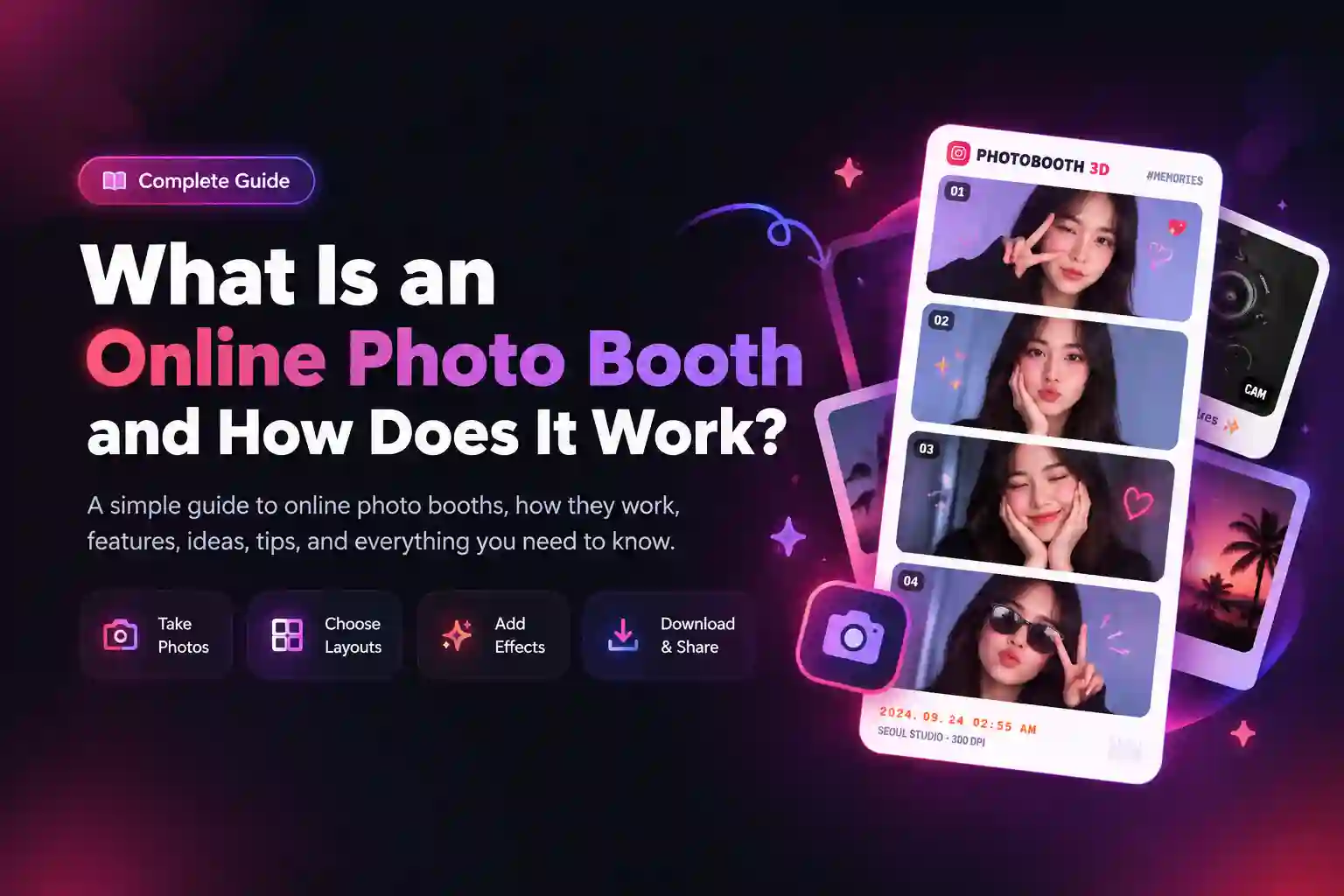
Taking photos has become easier than ever because you no longer need a special camera or a physical photo booth. With an online photo booth, you can take pictures, create photo strips, and customize your images directly from a web browser. This makes it useful for people who want quick and creative photos without setting up extra equipment. An online photo booth works by using the camera on your phone, tablet, or computer. After giving the browser permission to use your camera, you can take pictures and add different layouts, frames, effects, or other designs before saving the final image.
What Is an Online Photo Booth?
An online photo booth is a web-based tool that lets you take and customize pictures through your browser. Instead of entering a physical booth with a camera and screen, you can use a device that already has a camera. The basic idea is very simple. You open the tool, allow camera access, take your photos, choose a design, and save the finished image.
Some tools offer only basic photo capture, while others include several creative options. Depending on the platform, you may be able to create photo strips, add frames, apply filters, insert text, or change the layout of your pictures. The main difference is that everything happens digitally. You do not need a large machine, a separate camera, or a printer to create a photo booth-style image.
How Does an Online Photo Booth Work?
Although different tools may have slightly different features, the basic process is almost the same. You start by opening the website and then follow a few simple steps.
1. Open the Photo Booth
First, open the Photo Booth website in a supported browser. You can usually access it from a computer, smartphone, or tablet. A good internet connection can make the experience smoother, especially when the tool loads images, effects, or other design elements.
2. Allow Camera Access
After opening the tool, your browser may ask for permission to use your camera. This permission is necessary because the website needs access to the camera before it can take your picture. If you accidentally block the camera, the photo tool may not work correctly. In that case, you can open your browser settings and allow camera access for the website.
3. Take Your Photos
Once the camera is ready, position yourself in front of it and prepare for the picture. Some tools include a countdown, which gives you a few seconds to get into position. You can try different expressions and poses before taking the final photos. If you are making a photo strip, you may need to take several pictures instead of just one. Taking multiple pictures also gives you more choices when creating the final design.
4. Choose a Layout
After taking your photos, you can choose how they should appear. A simple layout may show one large image, while another option may place several pictures together. Photo strips are especially useful when you want the classic photo booth look. A four-picture layout can also create the popular 4-cut style that many people use for friend and couple photos.
The right layout depends on the type of picture you want to create.
5. Customize Your Photos
Many photo booth tools let you make small changes before saving the final image. These options can make a simple camera picture look more personal.
You may be able to add:
- Frames
- Filters
- Text
- Stickers
- Backgrounds
- Borders
- Different photo layouts
For example, you could create a simple four-photo strip and add a short message underneath it. You could also choose a vintage frame if you want an older photo booth style. The goal is to create a design that matches the mood of your pictures without making the image too crowded.
6. Preview the Final Image
Before downloading your image, take a moment to check the complete design. Look at the photos, text, borders, and spacing to make sure everything appears correctly. If something does not look right, you can go back and make changes. This small step can save you from downloading an image that needs to be edited again.
7. Download or Share the Photo
When you are happy with the result, you can save the finished image to your device if the tool provides a download option. You can then keep it as a personal memory or share it with friends. Digital photo booth pictures can also be useful for social media posts, stories, invitations, and event memories.
Online Photo Booth vs Traditional Photo Booth
A traditional photo booth is a physical setup that usually includes a camera, screen, lighting, and sometimes a printer. You normally find these booths at weddings, parties, shopping centers, and other events. An online photo booth removes the need for most of this physical equipment. You use a browser and the camera already available on your device.
| Feature | Online Photo Booth | Traditional Photo Booth |
|---|---|---|
| Physical booth | Not required | Required |
| Camera | Phone, tablet, or computer camera | Booth camera |
| Setup | Usually quick | Requires physical setup |
| Location | Can be used in many places | Usually fixed at an event |
| Photos | Digital | Digital or printed |
| Sharing | Easy digital sharing | Depends on the booth |
| Equipment | Minimal | More equipment required |
Neither option works exactly the same way. A physical booth can provide a complete event setup, while a browser-based option can be useful when you simply want to create photos without renting equipment.
What Can You Create With an Online Photo Booth?
A photo booth tool can be useful for more than taking a simple selfie. With the right layout and customization options, you can create several types of images.
Photo Strips
Photo strips are one of the most recognizable photo booth designs. They usually contain several pictures arranged vertically in a single image. You can create a photo strip with friends, family members, or a partner. Adding a simple border or short message can make the strip feel more personal.
4-Cut Photos
Four-cut photos use four separate pictures in one design. Each picture can show a different expression or pose. This format works especially well for friends and couples because everyone can try several poses during the same session.
Social Media Photos
You can also create images that are ready to share on social platforms. A customized frame, clean layout, or short caption can give the photo a more finished appearance. Before sharing, make sure the image size and layout work well for the platform you plan to use.
Event Memories
Digital photo booth images can also be used during birthdays, weddings, graduations, family gatherings, and online events. Instead of giving guests complicated equipment, you can provide a simple way for them to create their own pictures.
Who Can Use an Online Photo Booth?
One useful thing about browser-based photo tools is that they can work for many different types of users.
Friends
Friends can take funny pictures together and create photo strips that capture the moment.
Couples
Couples can use different poses and layouts to create simple memories for anniversaries, dates, or special occasions.
Families
Families can take group pictures without needing a professional photographer for every casual moment.
Students
Students can use photo booth designs for graduation memories, college events, or pictures with classmates.
Content Creators
Content creators can use customized photos for social media posts, stories, thumbnails, or other visual content.
Event Organizers
Event organizers can use digital photo experiences as part of parties, meetings, and online gatherings.
Why Do People Use Online Photo Booths?
The biggest reason is convenience. You can create a photo booth-style image without finding a physical booth or arranging a large setup. Another reason is customization. Digital tools can provide different layouts and design options, which let users create an image that matches their style. The digital format is also useful because the finished image can be saved and shared easily. You do not have to wait for a physical print before sending the picture to someone. For casual photos, online tools can also be a simple alternative to more complicated photography setups.
What Do You Need to Use an Online Photo Booth?
You usually need only a few basic things. First, you need a device with a camera. This could be a smartphone, tablet, laptop, or desktop computer with a webcam. Next, you need a supported web browser. Most modern browsers can handle camera permissions and web-based photo tools. You also need an internet connection if the tool requires online access. Finally, you need to give the browser camera permission when requested. The exact requirements can vary between different websites, so it is always useful to check the tool before starting.
Note: If you are planning to take photos using a computer or webcam, read our step-by-step guide on how to use a photo booth on a laptop or PC for camera positioning, permissions, and setup tips.
Are Online Photo Booths Free?
Some online photo booth tools are free, while others may offer both free and paid features. A free tool may provide basic photo capture and simple layouts. A paid service may include additional templates, advanced effects, branding options, storage, or event features. Before using any service, check which features are included in the free version. This helps you understand what you can create without unexpected costs.
Is an Online Photo Booth Safe to Use?
Camera access is an important part of using any browser-based photo tool, so you should understand what permission you are giving. When a website asks for camera access, your browser is allowing the website to use the device's camera. You should only give this permission to websites you trust.
It is also a good idea to read the website's privacy policy. The policy can explain how the service handles uploaded images, camera access, and other information. If you are taking private or personal pictures, avoid uploading them to websites that you do not trust. Checking the website address and looking for a secure connection are also sensible steps.
Online Photo Booth Ideas to Try
Once you understand how the tool works, you can experiment with different photo ideas.
Here are some simple ideas to try:
- Take a four-picture strip with your best friend.
- Create matching photos with your partner.
- Try funny expressions in every picture.
- Create a birthday photo strip.
- Make a vintage-style photo.
- Try a Y2K-inspired design.
- Take four different poses with your family.
- Create a simple picture for an Instagram post.
- Make a photo strip as a small digital gift.
- Create a group picture during a virtual party.
The best ideas do not always require complicated effects. Sometimes a few natural poses and a clean layout can create a better result.
Tips for Taking Better Photo Booth Pictures
Good lighting can make a noticeable difference in your pictures. Try to face a light source instead of standing with a bright light directly behind you. Keep your camera stable so the pictures do not look blurry. If you are using a laptop, place it on a stable surface instead of holding it while taking photos. A simple background can also help. Too many objects behind you may distract attention from the people in the picture.
You should also try different poses instead of using the same expression for every photo. Small changes, such as looking at the camera, smiling, or making a funny face, can make a photo strip more interesting. Finally, check the complete layout before downloading the image. Make sure faces, text, and borders are not cut off.
Frequently Asked Questions
What is an online photo booth?
It is a web-based photo tool that lets you take and customize pictures using a device camera.
Do I need to download an app?
Not always. Many browser-based tools work directly from a website, so you can use them without installing a separate application.
Can I use an online photo booth on my phone?
Yes, if the website supports mobile devices and your phone has a compatible camera and browser.
Does an online photo booth need a camera?
Most photo booth tools need a camera if you want to take new pictures directly through the website. Some tools may also let you upload existing photos.
Can I make a photo strip online?
Yes. If the tool supports photo strip layouts, you can arrange several pictures into one vertical design.
Can I create 4-cut photos online?
Yes. A tool with a four-photo layout can be used to create a 4-cut style image.
Can I download my photo booth pictures?
Many tools provide a download option after you finish creating the image. The available options depend on the specific website.
Are online photo booths free?
Some are free, while others may charge for certain features. Always check the available features before using a service.
Can I use an online photo booth for an event?
Yes. They can be useful for birthdays, weddings, graduations, parties, and other events where guests want to create digital memories.
Create Your Own Photo Booth Pictures
Creating a photo booth-style picture does not have to be complicated. You can open a browser-based tool, allow camera access, take a few pictures, choose a layout, and customize the final design. If you want to try the process yourself, open our online photo booth and start creating your own photos. You can experiment with different poses and layouts until you find a style you like.
Conclusion
An online photo booth gives you a simple way to take, customize, and save photo booth-style pictures without using a physical booth. With a camera, browser, and a few creative ideas, you can create photo strips, 4-cut photos, social media images, and memories for special events.
Ready to try this in your browser?
Launch our free 3D studio, test out vintage filters, and save your photo strip instantly.