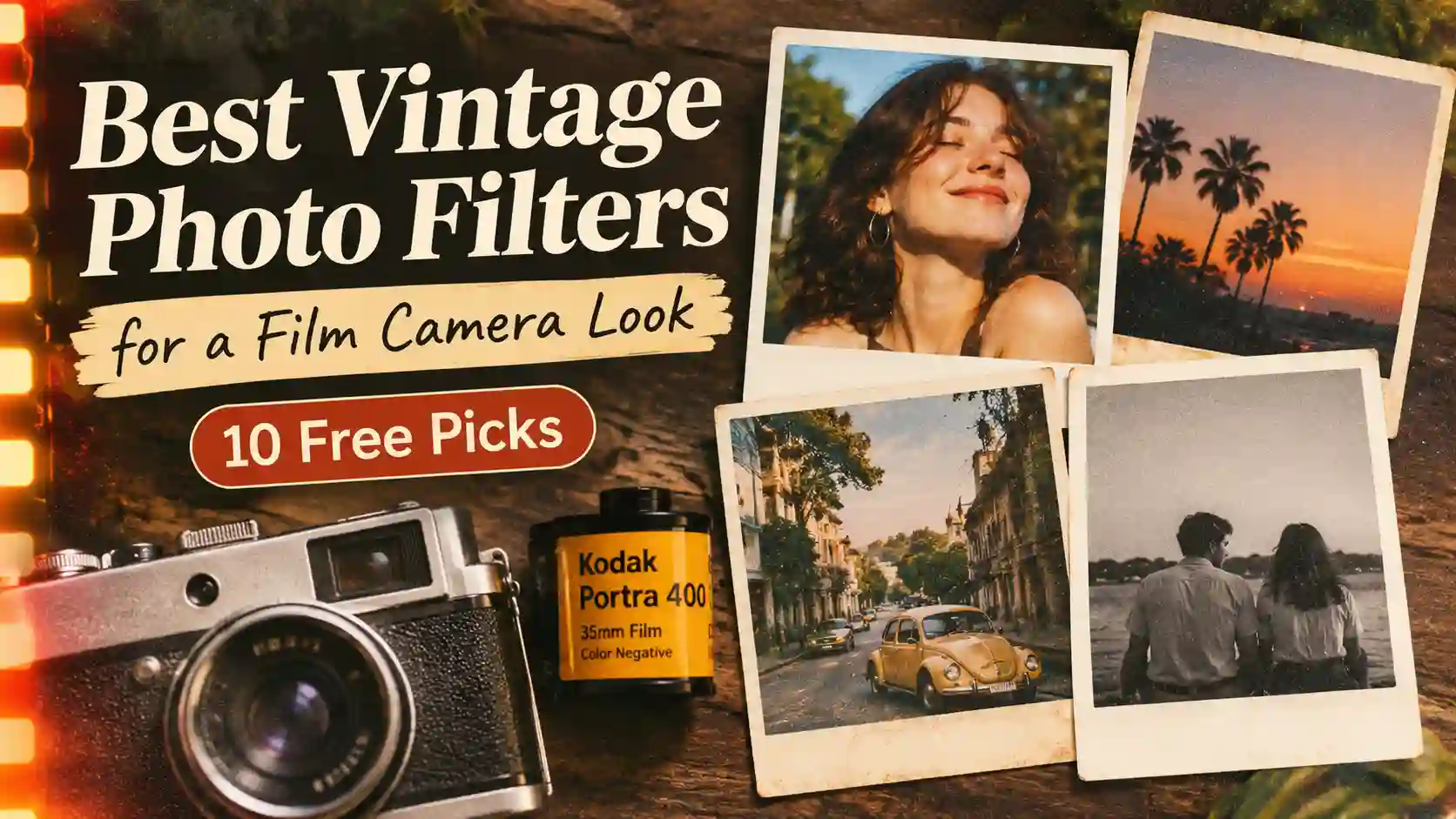
Best Vintage Photo Filters for a Film Camera Look (10 Free Picks)
Find the best vintage photo filters for a real film camera look: Portra, Polaroid, disposable and B&W. Try all 10 free in your browser, no app needed.
You snap a photo at a birthday dinner, and it looks sharp, yet it feels flat next to your parents' old album prints. That gap is what vintage photo filters are made to close, because they add the grain, faded shadows and soft color of film. The quickest answer is to pick a filter that copies a real film stock. Use Portra 400 Style for warm skin, Instant Polaroid for party shots, Disposable Flash for night photos and B&W Noir for classic strips. Below, you'll find the 10 vintage photo filters that give the most believable film camera look, along with the real film behind each one. You'll also get simple slider settings for VSCO or Lightroom, and you can try every filter free in your browser on TryPhotoBooth. Each pick names the exact filter and layout, so you can copy the look in about a minute.
Quick Picks: The Best Film Filter for Every Look
For a fast answer, this table matches each of our vintage photo filters to its film, best light and best event.
| Filter | Film it copies | Best light | Best for |
|---|---|---|---|
| Portra 400 Style | Kodak Portra 400 | Window light | Weddings, couples |
| Moody Shadow | Kodak Vision movie film | Low light | Moody friend strips |
| Instant Polaroid | Polaroid instant film | Soft indoor light | Birthdays, showers |
| B&W Noir | Ilford HP5 Plus | Any light | Classic strips |
| Disposable Flash | Fujifilm QuickSnap | Dark rooms | Parties |
| Retro 35mm Film | Kodak Gold 200 | Daylight | Friends, travel |
| Velvia 50 Style | Fujifilm Velvia 50 | Bright sun | Outdoor events |
| 1970s Vintage | Faded 1970s prints | Soft light | Retro themes |
| Sepia 1920 | Antique sepia portraits | Even light | Gatsby parties |
| CCD Y2K Cam | Early 2000s digicams | Direct flash | Y2K strips |
Why Film Looks Better (And How to Fake It Digitally)
Film looks better to most people because it softens the hard, perfect edges of phone photos and adds texture and warmth. Every roll reacts to light through chemistry, so no two frames come out exactly alike. That small randomness makes a picture feel lived in, and phone apps noticed it early. Hipstamatic launched in 2009 as one of the first iPhone apps to copy vintage lenses and film. It went on to sell 4 million copies by January 2012. A year after Hipstamatic, Instagram arrived on 6 October 2010, and co-founder Kevin Systrom called it a mix of Hipstamatic and the Like button. Real film never left either, because disposable camera sales in Japan fell from over 89 million in 1997 to under 5 million in 2012. After that low point, sales climbed back above 9 million by 2019. Today, vintage photo filters copy that chemistry with code, so a phone or laptop can fake it in one tap.
What Makes Film Look Like Film (7 Signs)
Good vintage photo filters copy seven small signs of film at once, and each sign is easy to spot. For more, read why film photos feel more real than digital.
Film Grain
Film grain is the fine, sandy texture across a film print, and it shows most in shadows and midtones. Digital noise looks harsher, with colored specks in dark areas. Grain feels even and natural, so most vintage photo filters add a light layer of it.
Color Cast
Every film stock carries its own tint, which is why a Kodak print and a Fujifilm print of one street never match. Kodak films such as Portra and Gold lean warm and golden. Many Fujifilm stocks lean cooler, with greener shadows and richer blue skies.
Lifted, Faded Blacks
On film, the darkest parts of a photo rarely reach pure black, so shadows look soft and slightly gray. This faded black is the key part of a film look. Without it, even vintage photo filters look like a plain color wash.
Halation Glow
Halation is the soft, often reddish glow around street lamps and bright windows on film. It happens when light passes through the film, bounces off the back of the base and exposes it again, as Wikipedia explains.
Soft Detail
Film looks a little softer than a modern phone photo, because older lenses and grain blur tiny details. That is why vintage photo filters lower sharpness instead of making every eyelash crisp.
Light Leaks and the Orange Date Stamp
Light leaks are orange and red streaks from stray light sneaking into an old camera. The orange date stamp comes from 1990s point-and-shoot cameras that printed the date in the corner. TryPhotoBooth's Vintage Polaroid layout adds a caption and date stamp for you.
The Best Vintage Photo Filters for a Film Camera Look
The best vintage photo filters copy a named film stock instead of adding a plain brown wash. A real film look needs the right mix of grain, tint and faded shadows, plus the right light. Each pick below names the TryPhotoBooth filter, the film it copies, the light it suits and the events where it works best.
For a Warm, Nostalgic Look (Kodak Portra 400 Inspired)
For warm, flattering portraits, use the Portra 400 Style filter, which copies Kodak Portra 400 with soft highlights and healthy skin. Kodak launched the Portra family in 1998 for portrait and wedding photographers. It still comes in ISO 160, 400 and 800, according to Wikipedia. Portra keeps skin looking natural in mixed light, which is why wedding photographers still love it. You can open the Portra 400 Style filter and pair it with the Korean 4-cut layout for couple strips. It also suits engagement shoots and a guest booth at a small wedding. If you edit in VSCO or Lightroom instead, lift the blacks a little, add some warmth and pull clarity down slightly. Then add fine grain and lower saturation a touch, so skin doesn't turn orange. Out of all ten vintage photo filters here, this is the safest choice for faces.
For a Cool, Cinematic Look (Kodak Vision Movie Film Inspired)
For a cool, cinematic mood, choose the Moody Shadow filter, the closest TryPhotoBooth match to Kodak Vision movie film. Kodak Vision stocks are made for cinema cameras, and colorists often push them toward teal shadows and orange skin. That mix gives the feeling of a still from a late-night film. The Moody Shadow filter adds deep shadows with muted warmth, so it suits dark cafés and rainy windows. It works well for moody friend strips in the Classic 3-pose layout. When you edit by hand, use split toning to add teal to the shadows and orange to the highlights. Then lift the blacks, because cinematic vintage photo filters still need faded shadows to read as film.
For the Classic Polaroid Look
For the classic Polaroid look, use the Instant Polaroid filter, which copies the soft, slightly faded colors of instant film. Real Polaroid prints have low contrast, creamy highlights and a gentle color shift. They also sit inside a famous white frame with a thick bottom border. The Instant Polaroid filter pairs best with TryPhotoBooth's Vintage Polaroid layout. That layout adds a caption and date stamp under each shot, just like a note written on a real print. This Polaroid filter works well for birthdays, sleepovers and baby showers, where guests love holding up props. If you are new to instant cameras, our Polaroid photography guide for beginners explains the real film. Among vintage photo filters, this one gives you that mood without buying film packs.
For the Black and White Film Look (Ilford HP5 Inspired)
For the black and white film look, use the B&W Noir filter. It gives you the deep contrast of classic films such as Ilford HP5 Plus and Kodak Tri-X. HP5 Plus is an ISO 400 film whose history goes back to 1931. Tri-X 400 has been its main rival for decades, as Wikipedia notes. The B&W Noir filter also looks like strips from old coin-operated photo booths. That makes it a good fit for weddings, anniversaries and any event that needs a timeless feel. Use it with the Classic 3-pose strip and a plain wall behind you. When you edit by hand, remove all color first and raise the contrast. Then pick one tone only, because mixed toning is where black and white vintage photo filters go wrong.
For the Lo-Fi Disposable Camera Look
For the lo-fi disposable camera filter look, use Disposable Flash. It copies the harsh direct flash and bright, slightly blown-out faces of a cheap throwaway camera. Fujifilm created the modern disposable camera, the QuickSnap, in 1986. Kodak answered with the Fling, which it later renamed the FunSaver. For QuickSnap's 40th anniversary in 2026, Fujifilm announced two new models. One is a black and white camera, and the other is the waterproof QuickSnap Active, according to Wikipedia. The Disposable Flash filter works best at house parties, bachelorettes and birthday dinners. It turns bad lighting into part of the style, which few vintage photo filters can do. Pair it with the Korean 4-cut layout and messy, happy poses. If you edit by hand, darken the exposure slightly, add heavy grain and cut sharpness.
For an Everyday 35mm Look (Kodak Gold Inspired)
For an everyday 35mm look, use the Retro 35mm Film filter. It gives the warm, yellow-tinted feel of consumer film like Kodak Gold 200. This is the look of summer holidays, school trips and family barbecues in the 1990s. Back then, most people dropped a roll at the local shop and waited days for prints. The Retro 35mm Film filter adds organic grain and gentle warmth, so it suits nights out with friends and travel snaps. Try it with the 2x2 square collage, which makes a small grid that looks like a stack of real prints. If you only want one of these vintage photo filters for daily use, start here.
For Bold, Saturated Color (Fujifilm Velvia 50 Inspired)
For bold, saturated color, use the Velvia 50 Style filter, which copies Fujifilm Velvia 50 slide film. Fujifilm launched Velvia in 1990 at ISO 50. It became a favorite of nature photographers for its very rich color and strong contrast, according to Wikipedia. The Velvia 50 Style filter needs bright light to look good. Save it for sunny gardens, beach days, balloon walls and outdoor graduation photos, where its rich greens and blues really stand out against bright clothes. In a dim room, its deep blacks swallow faces, so switch to warmer vintage photo filters like Portra 400 Style once the sun goes down.
For a Faded 1970s or 1920s Sepia Look
For a faded 1970s or 1920s sepia look, TryPhotoBooth gives you two choices. The 1970s Vintage filter adds a warm sepia wash with gentle grain. Your strip ends up looking like the yellowed prints in an old family album. It pairs nicely with the Retro Shades AR lens for a disco-era strip. The Sepia 1920 filter goes much further back, with brown antique tones that copy turn-of-the-century portraits. Sepia 1920 fits Great Gatsby parties, Roaring Twenties birthdays and history-themed school events. It looks even better when guests wear flapper headbands, pearls and bow ties. These two are the oldest-looking vintage photo filters in the lineup.
For the Y2K Digicam Look (CCD Camera Inspired)
For the Y2K digicam look, use the CCD Y2K Cam filter. It copies the color of early 2000s digital compact cameras like the Canon PowerShot and Sony Cyber-shot. These small CCD cameras have become popular again on TikTok and Pinterest, because their photos feel playful and a little imperfect. The CCD Y2K Cam filter looks best on the Korean 4-cut layout with silly poses. It is the newest era among these vintage photo filters, so it suits Gen Z parties. For outfit ideas, see our Y2K photo booth aesthetic guide.
Best Apps for Vintage Film Filters
Phone apps are another way to get vintage photo filters, and each app suits a different style.
| App | Best for |
|---|---|
| VSCO | Subtle film presets |
| Lightroom Mobile | Manual control |
| Huji Cam | Disposable look |
| Darkroom | Batch editing |
| Dazz Cam | Retro camera styles |
| Film Lab | Simple presets |
| TryPhotoBooth | Free browser strips |
VSCO
VSCO is the best-known vintage filter app, and photographers like it because its presets copy film in a subtle way. Popular film-style presets include A4, A6, C1, F2 and B5. The A series gives soft analog color, and B5 gives black and white. VSCO works on iPhone and Android. You can still adjust grain and fade after adding a preset, which helps when a look feels too strong. Check the store listing first, because the list of free vintage photo filters inside VSCO can change.
Lightroom Mobile (Free)
Lightroom Mobile is free to download from Adobe, and it gives you the most control of any app here. It suits people who want to build a film look from scratch instead of picking a ready preset. You can lift the blacks with the tone curve, add grain and change single colors with color mixing. You can then save the whole edit as a preset and build your own vintage photo filters for every photo.
Huji Cam
Huji Cam is a camera app that copies a cheap 1990s disposable camera, so you shoot through the app instead of editing later. It adds a date stamp, warm color and random light leaks to every shot. That makes it fun for trips, concerts and parties when you don't want to edit at all.
Darkroom (iOS)
Darkroom is a photo editor for iPhone and Mac that includes film-style filters along with full editing tools. It is a good pick if you shoot on an iPhone and want one filter on a whole batch of photos. It works straight from your photo library, so you never have to import pictures first.
Dazz Cam
Dazz Cam is a retro camera app with presets based on classic film and digital cameras. That is why so many people search for the best vintage filter on Dazz Cam before a trip. You choose a camera style, take the photo, and the app adds grain, color and a date stamp. Test a few vintage photo filters inside the app, since some look stronger than others.
Film Lab
Film Lab is an app built around film-style presets, and it suits people who prefer a short list of looks over sliders. Several apps use similar names, so check the developer and reviews in the App Store or Google Play first. Then test a few vintage photo filters on your own photos before you commit.
TryPhotoBooth (Free, In Your Browser)
TryPhotoBooth is the easiest choice if you want a vintage photo filter online free, with no app, no signup and no watermark. It runs in the browser on a phone, laptop or tablet. Its film group has seven filters: 1970s Vintage, Retro 35mm Film, Sepia 1920, Instant Polaroid, Portra 400 Style, Velvia 50 Style and Disposable Flash. You choose the filter before you shoot, so you see the film camera look on screen while you pose. When the strip is done, you can download it at 300 DPI, ready to print. You can browse all the vintage photo filters on the TryPhotoBooth Lenses page.
Match the Filter to Your Light and Event
The right film look filter depends more on your light than on your theme, so check the room before you choose. In a dark room or at night, Disposable Flash works best, because its flash style turns poor light into fun. Near a window or in soft daylight, Portra 400 Style gives the most flattering skin. Bright sun outdoors is the one time Velvia 50 Style looks its best. For events, weddings look great in Portra 400 Style or B&W Noir, while birthdays and bachelorettes suit Disposable Flash or Instant Polaroid. Themed parties call for Sepia 1920 or CCD Y2K Cam. If you shoot outside in the evening, read our guide to golden hour photography. Warm, low sun makes most vintage photo filters look richer, so plan outdoor strips for that hour. Indoors, a soft ring light placed slightly to the side helps vintage photo filters look clean on faces.
How to Apply Film Filters Consistently Across a Photostrip
A photostrip looks planned when every frame uses the same filter, so color and grain match from top to bottom. Mixed filters make one strip look like four different nights, even when you took it in a single minute. Follow these steps to keep it consistent:
- Choose one filter before you start, such as Portra 400 Style for a couple or Disposable Flash for a party.
- Keep the same light for every frame, which means staying in one spot and keeping the flash setting the same.
- If one frame comes out darker, change only its brightness and leave the filter settings alone.
- Export every frame at the same size, so the strip prints evenly.
- Place the frames in your layout and check the full strip on two screens before you print.
On TryPhotoBooth, the filter you pick stays the same for every shot in the strip, so most of these steps happen on their own. That makes it simple to get matching vintage photo filters on all four frames of a Korean 4-cut strip. Our free online photo booth guide walks you through each click.
Common Mistakes to Avoid
Most fake-looking film edits come from doing too much, so the fix is usually to pull back. These are the mistakes that show up most often:
- Adding too much grain is the most common slip, because heavy grain on a dark photo looks like a bad phone picture.
- Mixing different filters on one strip breaks the mood, so pick one look and keep it for every frame.
- Stacking a filter, a preset and extra fade on top of each other turns colors muddy and gray.
- Skipping the black lift leaves shadows hard and digital, which gives away even good vintage photo filters.
- Checking your edit on one screen can fool you, because phones often show brighter colors than laptops and printers.
- Shooting through a dirty phone lens adds a foggy haze that no filter can fix, so wipe it first.
- Adding a heavy vignette darkens the corners and hides faces in group shots.
Good vintage photo filters need a light touch. For more habits that make pictures look edited, read our list of photo editing mistakes.
Find Your Film Look
Finding your film look comes down to matching the filter to your mood and your light. Pick Portra 400 Style for warm faces, Instant Polaroid or Disposable Flash for parties, and B&W Noir or Sepia 1920 for a timeless strip. The best vintage photo filters still need decent light and one steady look across the strip. Keep your edit simple and let the film feel carry the photo. You can try all ten looks right now on the TryPhotoBooth Lenses page. Shoot a strip in your browser, download it free at 300 DPI, and print it for your fridge, scrapbook or photo wall.
Frequently Asked Questions
What filter makes photos look like film?
A filter makes photos look like film when it adds grain, faded blacks and a warm or cool color cast together. Portra 400 Style and Retro 35mm Film on TryPhotoBooth do this well, and VSCO's A series is a popular app choice.
What filter makes photos look vintage?
Warm sepia and faded vintage photo filters make pictures look old fastest. On TryPhotoBooth, 1970s Vintage gives a yellowed album look and Sepia 1920 gives an antique brown tone. Keep grain fine so the result looks old instead of damaged.
Is there a free vintage photo filter online with no app?
Yes, TryPhotoBooth works in any browser on a phone, laptop or tablet, with no signup and no watermark. You can pick from seven vintage photo filters, shoot a full strip and download it at 300 DPI for free.
What is the best vintage filter app for iPhone?
VSCO is the most popular film filter iPhone app for presets, while Huji Cam is best for a disposable feel without editing. Lightroom Mobile gives the most control, and Darkroom is handy for editing many photos at once.
How do I make photos look like film on iPhone without an app?
Open TryPhotoBooth in Safari, pick a film filter such as Portra 400 Style and shoot straight through your browser. The built-in iPhone Photos filters can add warmth or turn photos black and white, but they don't add real grain.
What are the best vintage filter settings in Lightroom or VSCO?
Start by lifting the blacks with the tone curve, then add a little warmth and lower clarity slightly. Add fine grain, lower saturation a touch, and save the edit as a preset, so your own vintage photo filters stay consistent.
How do I get the disposable camera filter look?
Use the Disposable Flash filter, or turn on your flash and edit with lower exposure, heavy grain and less sharpness. Shoot in a dim room, because direct flash on close faces is what makes disposable photos look real.
What is the difference between film grain and digital noise?
Film grain is an even, natural texture that comes from the film itself. Digital noise is uneven colored speckling from a phone sensor in low light, and it usually makes a photo look low quality.
Keep Reading
If you enjoyed these vintage photo filters and want more strip ideas, read Photo Booth Filters Explained and our Y2K photo booth aesthetic guide. Then see why film photos feel more real and every photo booth layout and frame.
Ready to try this in your browser?
Launch our free 3D studio, test out vintage filters, and save your photo strip instantly.