How to Make Your Instagram Stories Look Like a Photo Booth
Learn how to make your Instagram Stories look like a photo booth with photo strips, vintage filters, creative layouts, and simple posing ideas.
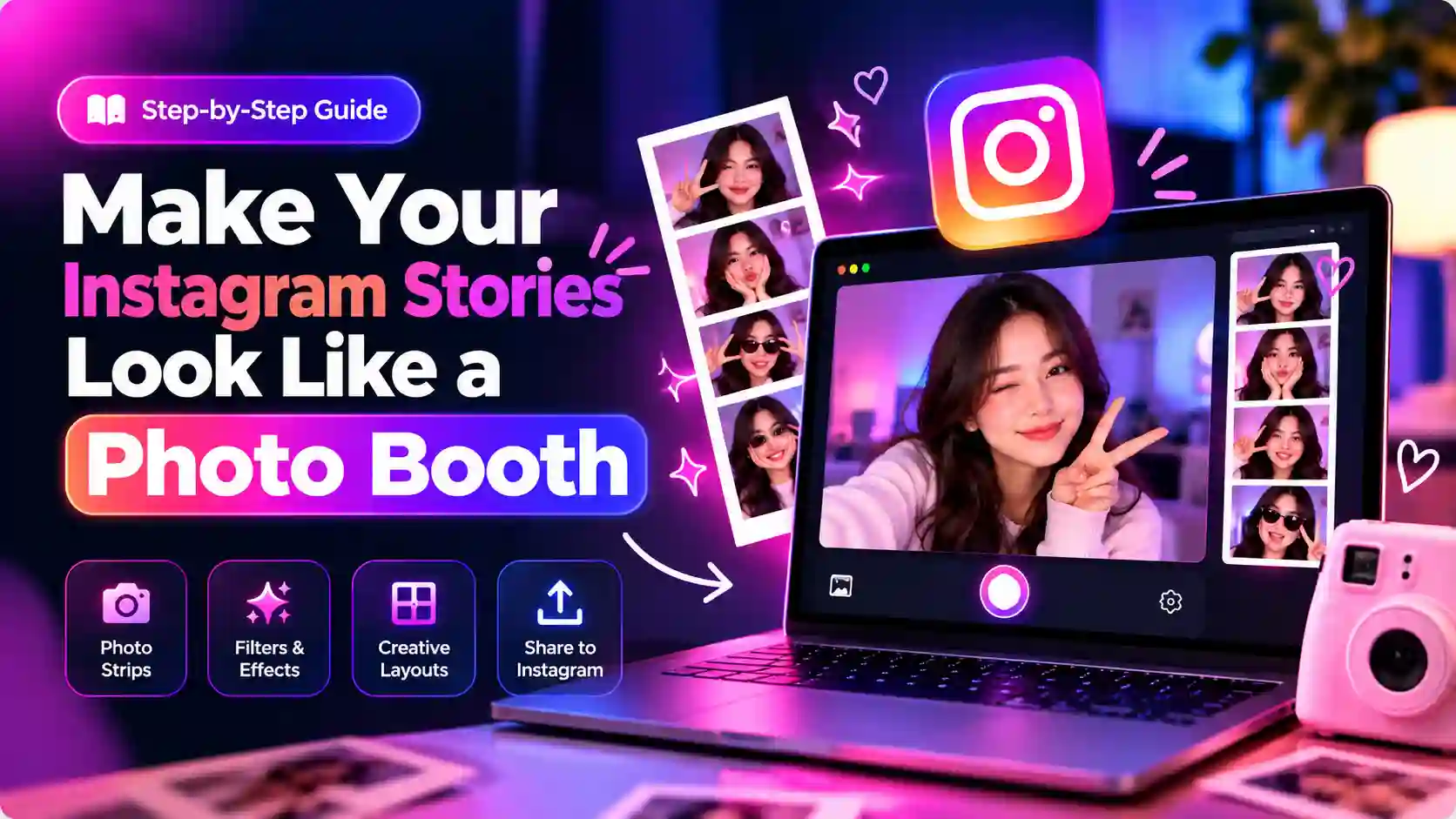
There's something about a photo booth strip that a polished selfie can't touch. The slightly uneven lighting, the row of four frames, and the grain that makes everything feel a little older give it a charm that a perfectly edited photo often lacks. That's probably why you're looking for ways to make your Instagram Stories look like a photo booth. You want that same casual, lived-in feeling without renting a booth or carrying around a fancy camera, and the good news is that you don't need either.
A photo booth Story works because it captures a moment instead of trying to make it perfect. Whether you're sharing a birthday, a night out with friends, or just a normal Tuesday worth remembering, a few well-chosen frames can make an ordinary story feel much more personal. And you can create that look with tools you already have. Instagram's Story features can handle the basics, while a simple photostrip layout, a subtle vintage effect, and a few finishing touches can bring the whole look together.
Why Photo Booth-Style Instagram Stories Stand Out
Most Instagram Stories are made from one photo or a quick video. That works, but a small group of photos can tell a better story because each frame shows a different moment. A photobooth style works especially well when the photos are taken close together. One frame can show a smile, the next can capture a funny expression, and another can show a completely different pose. The style also feels less polished than a carefully edited portrait. That is part of its charm. Small changes in expression, movement, and framing make the final Story feel more personal. You also do not need a physical photo booth. A phone camera, a simple background, and a few minutes are enough to create the same basic idea.
What Makes a Story Look Like a Photo Booth?
A photo booth look comes from several small details working together. The photos, layout, lighting, borders, and editing style all help turn a normal Instagram Story into something that feels like a real photo booth strip.
- Photo strip layout: Use three or four photos in a vertical arrangement to create the classic photo booth look. A simple grid or collage can also work, but the photos should feel like part of the same moment.
- Consistent lighting and framing: Keep the camera at roughly the same height and use similar lighting for each photo. A plain background and direct lighting can also create the simple flash-photo feel associated with a photo booth.
- White borders and spacing: Add a clean white border around the photos and leave even space between each frame. A cream, white, gray, or other soft background can make the strip feel more like a printed photo.
- Vintage colors and film grain: Use warm colors, softer contrast, faded tones, or a small amount of film grain to create a nostalgic photo booth aesthetic. Keep the effect subtle so the photos still look natural.
- Simple poses and candid moments: Mix smiles, funny expressions, movement, and different poses instead of making every frame look identical. This gives the Story the casual feeling of photos taken inside a real booth.
Note: Instagram Photobooth is used to capture a sequence of photos, while a photo strip combines several photos into one vertical design. You can create the photo strip from your camera roll even if the Photobooth option is not available.
How to Use the Photostrip Sticker (Step-by-Step Guide)
The Photostrip sticker makes it easy to turn your existing photos into a photo booth-style Story. You can choose your photos, arrange them into a strip, and give your Instagram Story a simple photo booth feel. Here’s how to use the Photostrip sticker step by step.
Step 1: Choose Your Photos (or Take New Ones)
- Use photos you already have: Scroll back through your camera roll and pull three or four shots from the same event or day. A slightly blurry laugh or an off-center frame usually looks more real than a posed shot.
- Shoot new photos for it: Find a dimly lit room, switch on your front camera's flash, and take four to six shots quickly without stopping to check each one.
- Shoot against a plain background: It keeps the focus on you rather than a cluttered room.
- Mix close-up and wider frames: A strip of four nearly identical shots feels flat — variety sells the format.
- Include one candid moment: A laugh or mid-movement shot always looks better grouped with the more composed ones.
Step 2: Pick a Photostrip Layout App
- TryPhotobooth for a simple photobooth-style layout: TryPhotobooth.com lets you create photobooth-style pictures directly in your browser, without needing to install an app. It is a useful option when you want to turn your photos into a clean, shareable photobooth-style design.
- VSCO for realistic film texture: Its presets mimic actual film stocks like Kodak Portra, and the grain slider lets you dial in texture before the photos reach a layout tool.
- Unfold for ready-made strip templates: Built specifically for Stories, though the best designs sit behind a paywall.
- Layout by Instagram — for a clean, simple grid: Easiest option if you just want a minimal arrangement without much vintage styling.
- Snapseed for built-in vintage presets: Comes with Polaroid-style filters plus more manual control over exposure and tone.
Note: If you want to create photobooth-style pictures with a computer before using them in your Story, see how to use a photo booth on a laptop.
Step 3: Apply the Right Vintage Filter
- Lift the shadows slightly: Push them up by around 15 to 25 percent and add a touch of warmth to mimic old print paper.
- Add a faint green or pink tint: A small amount in the highlights recreates the tint that booth flash photography often produces.
- Keep grain light: Around 10 to 20 percent is enough to read as film without looking damaged.
- Pull contrast down, not up: Over-contrasted photos tend to look more digital, not less.
- Use Instagram's built-in filters as a base: Clarendon or Gingham at 50 to 60 percent opacity works well, then adjust brightness and warmth manually from there.
Step 4: Add the Finishing Touches
- Add a short text overlay: A date, location, or one-line caption in a handwritten or typewriter-style font, placed above or below the strip rather than on top of the photos.
- Keep stickers minimal: One or two at the edges of the frame, never over a face.
- Leave some breathing room: Avoid cropping the strip edge to edge — it should look like a print sitting on a surface, not a full-screen collage.
Step 5: Post It the Right Way
- Share it as a Story, not a feed post: Keeps the ephemeral quality that real photo booth strips have.
- Save it to a Highlight: A "Memories" or "Film" Highlight turns your best strips into a visual diary people will actually revisit.
- Post multiple strips as consecutive Stories: If you have more than one from the same event, this creates a small gallery effect.
- Use Close Friends for personal shots: Fits the intimate, unpolished feel the format is built around.
Real Use Cases: When This Looks Incredible
A photo booth Story works well when several pictures belong to the same moment. Here are some simple ways to use the style:
- Birthday: Use four funny expressions from the same party and add the date underneath.
- Best friends: Take a quick sequence with different poses and keep the background simple.
- Date night: Mix smiling, candid, and playful photos instead of using four identical poses.
- Travel: Combine photos from one location and add a small place name or date.
- Concerts and events: Use the strip to show a few moments from the same night without creating a long photo dump.
- Graduations: Capture a few poses with your friends, family, or graduation outfit in one strip.
- Weddings: Combine candid moments, group photos, or fun poses from the celebration.
- Outfit checks: Use different angles or poses to show the outfit without making several separate Stories.
- Vacations: Turn a few favorite moments from the same day into one simple photo strip.
- Behind-the-scenes: Show quick moments from a shoot, event, project, or everyday activity in one Story.
Common Instagram Photo Booth Story Mistakes
A few simple mistakes can make a photo booth Story look less natural. Before posting, check these common problems.
1. Too Many Photos
Using too many photos can make the strip feel crowded. Three or four strong pictures are usually enough to show the moment clearly without making each frame too small.
2. Different Lighting
Photos with very different lighting can make the strip look disconnected. Try to choose pictures with similar brightness and colors so they feel like part of the same sequence.
3. Heavy Editing
Strong filters, too much film grain, or dramatic color changes can take away from the natural photo booth feel. Keep the editing light and let the original expressions and details remain visible.
4. Poor Cropping
A narrow photostrip can easily cut off faces or important details. Before sharing your Story, check each frame and make sure everyone is positioned comfortably inside the crop.
5. Too Much Decoration
Stickers, GIFs, and text can quickly make a simple photo strip feel crowded. Leave some empty space around the photos so the main focus stays on the pictures.
6. Unrelated Photos
A photo booth strip works best when the images feel connected. Instead of combining random pictures, choose photos from the same moment, place, or activity.
Why Can't I Find a Photobooth on Instagram?
If you cannot find Photobooth on Instagram, it does not necessarily mean you are doing something wrong. Instagram can change its interface and feature availability, so different accounts may not always see the same options. First, make sure your Instagram app is updated, then open the Story camera and check the available camera modes. If Photobooth still does not appear, check your camera permissions or use Instagram’s other Story tools to create the same photo booth style manually. You do not need Photobooth mode to make your Instagram Story look like a photo booth.
Note: If you want to understand the basics of a browser-based photo booth before creating this style, read what an online photo booth is and how it works.
FAQ
Does Instagram have a Photobooth feature?
Instagram has offered a Photobooth option within Stories, but the exact interface and availability can change. If it is available on your account, you can use it to capture a sequence of photos directly from the Story camera.
How do I make a photo strip on Instagram?
Take or choose three or four related photos, then arrange them vertically using Instagram's Story tools or an external layout tool. Add consistent borders and spacing to create the traditional strip appearance.
Can I make a photo booth Story without another app?
Yes. You can use Instagram's own camera and Story tools to create the basic effect. For more control over the exact strip layout, an external editor or online photo booth can give you additional options.
Can I use photos from my camera roll?
Yes. Existing photos can work very well, especially when they were taken during the same event or have similar lighting.
What size should an Instagram photo booth Story be?
A 9:16 vertical canvas is the standard format to work with, and 1080 × 1920 pixels is a practical size for designing a full-screen Story.
How do I make my Story look vintage?
Use subtle warmth, softer contrast, slightly faded colors, and a small amount of grain. Avoid stacking several heavy filters because the result can quickly look artificial.
Why can't I find Photobooth on Instagram?
The feature may not appear in the same place for every account or version of Instagram. Check for app updates and look through the Story camera modes. If it is still unavailable, you can create the same visual style with photos and Story layout tools.
How many photos should I use?
Three or four photos are enough for a classic photo booth strip. More photos can work in a collage, but they become harder to see when placed inside a vertical Story.
Conclusion
Instagram Stories that look like a photo booth stand out for one simple reason that they feel like a real moment instead of a staged one. A few honest photos from the same day, arranged into a simple strip with a light vintage touch, will always carry more personality than a single polished shot. You don't need extra equipment to get there; Instagram's own Story tools, along with a bit of care in choosing your photos, are enough. The next time you're deciding what to post, try turning your Instagram Stories into a photo booth-style strip instead of sharing one photo at a time.
Ready to try this in your browser?
Launch our free 3D studio, test out vintage filters, and save your photo strip instantly.